Introduction
Follow this guide to remove and replace the battery on a Logitech H800 wireless headset. You may need to do this repair if the battery no longer holds a charge.
For your safety, discharge the battery below 25% before disassembling your device. This reduces the risk of a dangerous thermal event if the battery is accidentally damaged during the repair. If your battery is swollen, take appropriate precautions.
What you need
-
-
-
Shift the power switch down to the OFF position to turn off the headset.
 Ask FixBot
-
-
-
Use two fingers or your palm to rotate the battery cover on the left ear cup counterclockwise.
-
-
-
Tilt the left ear cup down to remove the battery cover.
-
-
-
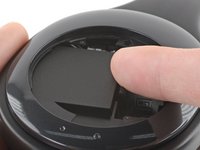
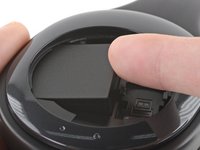
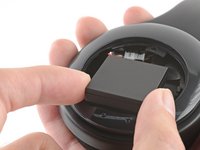
Use your finger to lift up the right side of the battery about 0.5 cm (when the battery cables are oriented up).
-
-
-
-
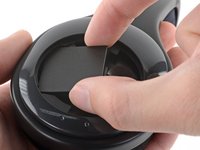
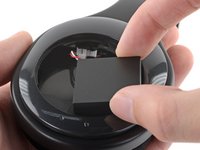
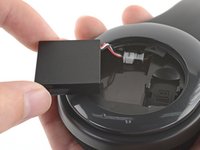
Pull the battery to the right and away from the ear cup to remove it from the recess.
-
-
-
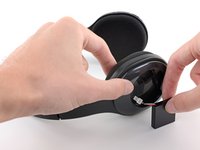
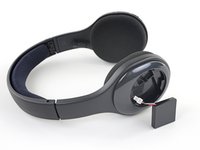
Rotate the battery 90 degrees clockwise so that it rests on the left side of the ear cup.
-
-
-
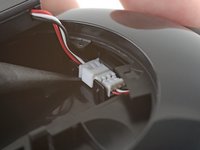
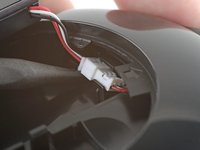
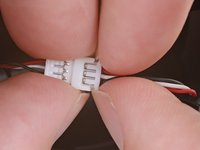
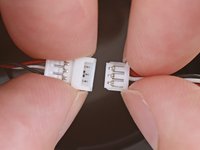
Use a spudger or your fingernail to pry up the edge of the battery connector resting against the flat clip enough that the whole connector pops out of the clips securing it.
-
-
-
Place the headset on your work surface so the control switches face up.
-
Place the battery on the surface so the cables face up.
-
-













To reassemble your device, follow these instructions in reverse order.
Take your e-waste to an R2 or e-Stewards certified recycler.
Repair didn’t go as planned? Try some basic troubleshooting, or ask our Logitech H800 Answers community for help.
Cancel: I did not complete this guide.
2 other people completed this guide.

