Introduction
This is a prerequisite-only guide! This guide is part of another procedure and is not meant to be used alone. Use this guide to remove the midframe in your Huawei P40 Pro.
What you need
-
-
-
Apply a heated iOpener to the rear glass to loosen the adhesive underneath. Apply the iOpener for at least two minutes.
 Ask FixBot
-
-
-
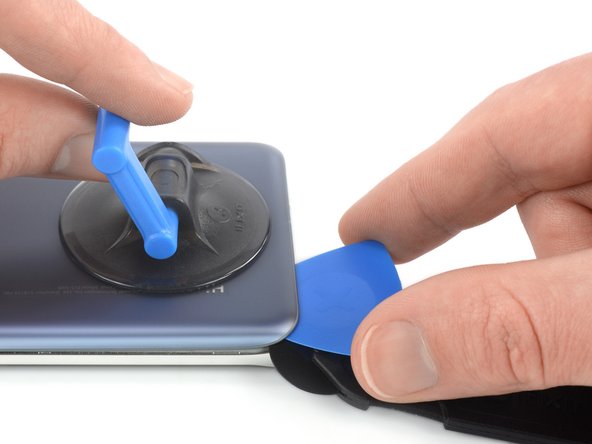
Secure a suction handle to the bottom edge of the rear glass, as close to the curved edge as possible.
-
Lift the back cover with the suction handle to create a small gap between the back cover and the frame.
-
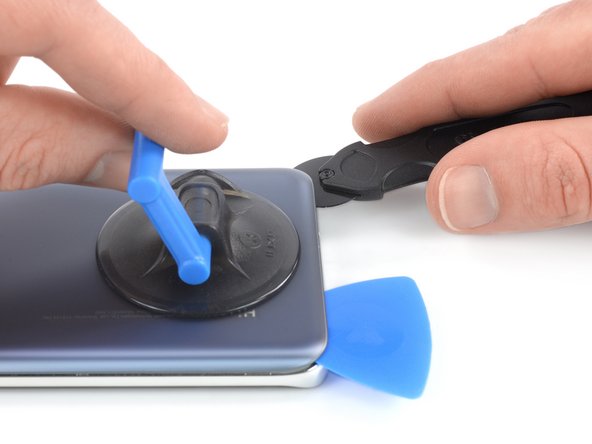
Insert an iMac opening wheel into the gap.
-
Slide the opening wheel to the bottom left corner to slice the adhesive.
-
-
-
Insert an opening pick into the gap between rear glass and frame at the bottom left corner of your phone to prevent the adhesive from resealing.
-
-
-
Reinsert the opening wheel at the bottom edge of the rear glass.
-
Slide the opening wheel to the bottom right corner to slice the adhesive.
-
Insert an opening pick underneath the bottom right corner of the rear glass, next to the opening wheel to prevent the adhesive from resealing.
-
-
-
Insert the opening wheel underneath the bottom left corner of the rear glass.
-
Slide the opening wheel along the left edge of your Huawei P40 Pro to cut the adhesive.
-
Insert an opening pick underneath the top left corner of the rear glass, next to the opening wheel to prevent the adhesive from resealing.
-
-
-
-
Insert the opening wheel underneath the top left corner of the rear glass.
-
Slide the opening wheel along the top edge of your phone to cut the adhesive.
-
Insert an opening pick underneath the top right corner of the rear glass, next to the opening wheel to prevent the adhesive from resealing
-
-
-
Insert the opening wheel underneath the top right corner of the rear glass.
-
Slide the opening wheel along the right edge of your phone to cut the remaining adhesive.
-
-
-
-
-
Remove the eleven 4.5 mm-long Phillips #00 screws.
-
-
-
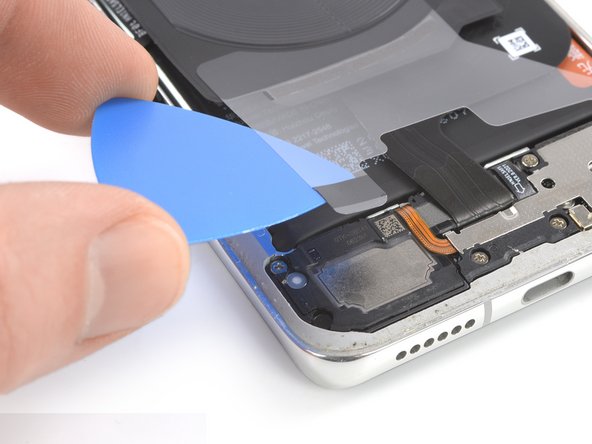
Slide an opening pick underneath the bottom right corner of the protective foil.
-
Use the opening pick to gently peel the protective foil off the daughterboard cover.
-
Repeat the previous procedure to peel the bottom left protective foil corner off the speaker.
-
-
-
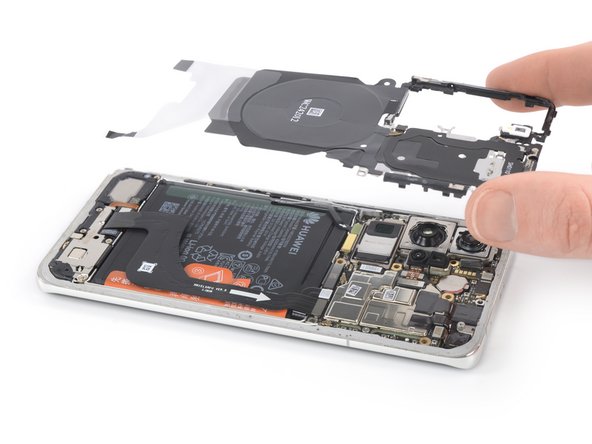
Slide an opening pick underneath the bottom left corner of the plastic midframe.
-
Slide the opening pick along the left edge of the midframe to release the plastic clips holding it in place.
-
-
-
Insert the tip of an opening pick at the top edge of the midframe next to the top left corner.
-
Tilt the opening pick downwards to pop the plastic clips out of their sockets.
-
Slide the opening pick along the top edge of the midframe to release the remaining plastic clips.
-
-










To reassemble your device, follow these instructions in reverse order.


