Free Shipping on Domestic Orders $75+

How to Open the Fitbit Charge 2

What you need

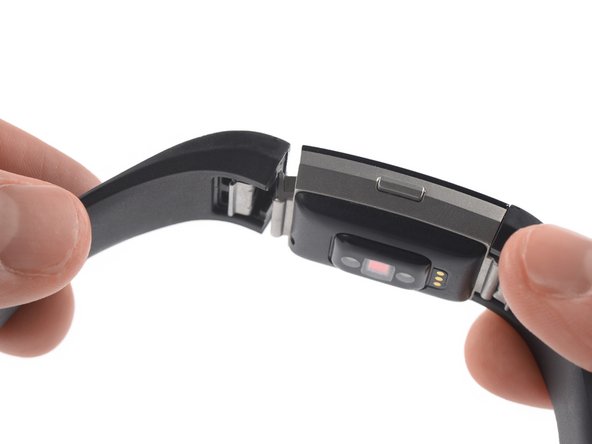
  1. How to Open the Fitbit Charge 2, Remove the watch band: step 1, image 1 of 1
    • Before starting, take your Fitbit Charge 2 off the charger and power it down.

    • Remove the watch band on both sides.

    Ask FixBot
  2. How to Open the Fitbit Charge 2, Heat the touch screen: step 2, image 1 of 1
    • Heat an iOpener and apply it to the touch screen for two minutes.

    • The screen is not glued down, but the heat helps to loosen the touch screen assembly from your watch.

    Ask FixBot
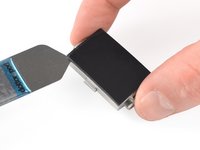
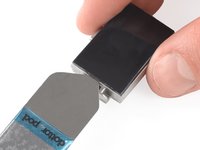
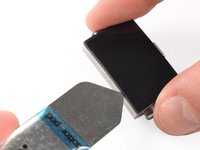
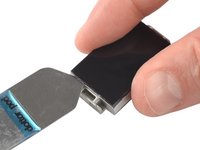
  3. How to Open the Fitbit Charge 2, Slide along the left edge: step 3, image 1 of 3 How to Open the Fitbit Charge 2, Slide along the left edge: step 3, image 2 of 3 How to Open the Fitbit Charge 2, Slide along the left edge: step 3, image 3 of 3
    Tool used on this step:
    iSesamo Opening Tool
    $9.99
    Buy
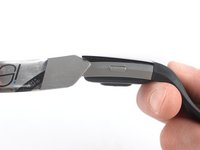
    • Insert an iSesamo into the gap between the touch screen and the watch assembly on the top left corner.

    • Slide the iSesamo along the left edge to the bottom left corner.

    Ask FixBot
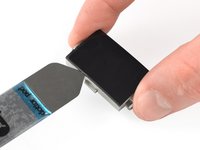
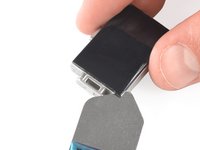
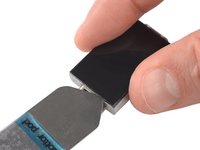
  4. How to Open the Fitbit Charge 2, Slide along the bottom edge: step 4, image 1 of 2 How to Open the Fitbit Charge 2, Slide along the bottom edge: step 4, image 2 of 2
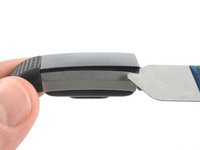
    • Slide the iSesamo around the bottom left corner.

    • Slide it along the edge to the bottom right corner.

    Ask FixBot
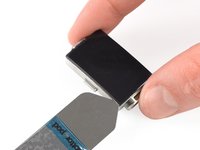
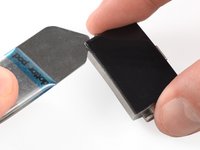
  5. How to Open the Fitbit Charge 2: step 5, image 1 of 3 How to Open the Fitbit Charge 2: step 5, image 2 of 3 How to Open the Fitbit Charge 2: step 5, image 3 of 3
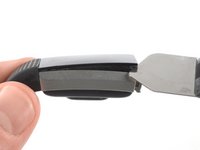
    • Slide the iSesamo around the bottom right corner.

    • Keep sliding it along the right edge to the top right corner.

    Ask FixBot
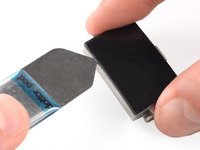
  6. How to Open the Fitbit Charge 2: step 6, image 1 of 2 How to Open the Fitbit Charge 2: step 6, image 2 of 2
    • Slide the iSesamo around the top right corner.

    • Slide it along the top edge to the top left corner.

    Ask FixBot
  7. How to Open the Fitbit Charge 2: step 7, image 1 of 2 How to Open the Fitbit Charge 2: step 7, image 2 of 2
    • Place the iSesamo under the top left corner.

    • Feel free to reattach the watch band for this and the next step for a better grip.

    • Pry up the touch screen assembly by twisting the iSesamo sideways to create a gap and unhinge the plastic clips which are holding the screen in place.

    Ask FixBot
  8. How to Open the Fitbit Charge 2: step 8, image 1 of 2 How to Open the Fitbit Charge 2: step 8, image 2 of 2
    • Place the iSesamo under the top right corner.

    • Pry up the touch screen assembly by twisting the iSesamo sideways to create a gap.

    Ask FixBot
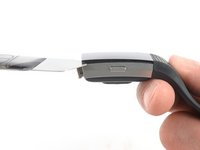
  9. How to Open the Fitbit Charge 2: step 9, image 1 of 2 How to Open the Fitbit Charge 2: step 9, image 2 of 2
    • Insert a spudger into the gap on the top edge of your Fitbit Charge 2.

    • Use the spudger to pry up the touch screen assembly.

    • Do not remove the touch screen assembly all the way yet—it's still connected to the motherboard.

    Ask FixBot
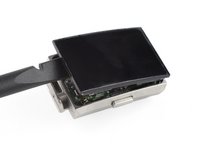
  10. How to Open the Fitbit Charge 2: step 10, image 1 of 1
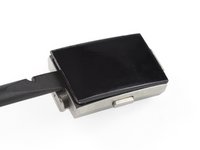
    • Carefully fold the touch screen assembly in the direction of the bottom edge.

    Ask FixBot
Conclusion

To reassemble your device, follow these instructions in reverse order.

Opening didn’t go as planned? Ask our Answers community for help.

Adriana Zwink

Member since: 12/18/19

66,846 Reputation

167 Guides authored

Team

iFixit Member of iFixit

Staff

123 Members

25,799 Guides authored

1 Guide Comment

How do I get the daughterboard out?

Pospesel - Reply Share

Add Comment

View Statistics:

Past 24 Hours: 3

Past 7 Days: 11

Past 30 Days: 71

All Time: 6,789