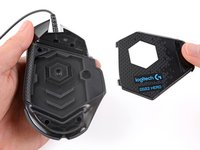
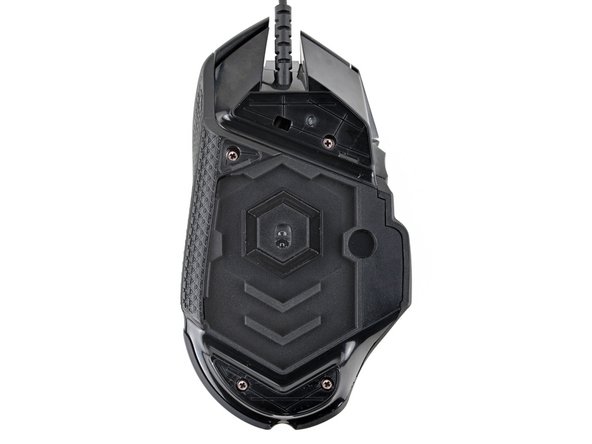
Use this guide to open your Logitech G502 Hero wired gaming mouse.
Opening your mouse gives you access to clean its internals, troubleshoot mechanical problems, or replace a part.
-
-
Before starting your repair, unplug the mouse.
-
Throughout your repair, it may be helpful to lay your mouse on a soft cloth to stabilize it and prevent damage while you work.
-
-
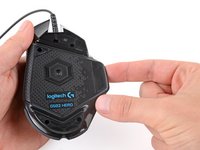
The feet are secured to the bottom of the mouse with adhesive. In order to cleanly remove them, the adhesive needs to be thoroughly heated.
-
Heat an iOpener and lay it on the mouse feet for one minute to heat the adhesive.
-
Alternatively, you can use a hair dryer on the Low heat setting to soften the adhesive.
-
If you're using a hair dryer, only heat the feet a few seconds at a time or you may warp the plastic shell.
-
-
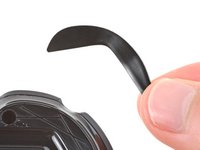
The feet have two layers—a rubberized one and an adhesive pad underneath.
-
If you're reusing the feet, be very careful not to separate the two layers or damage the feet.
-
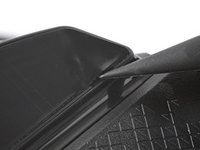
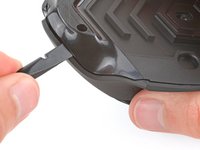
Carefully slide the point of a spudger under the large foot near the front of the mouse, making sure it goes under both the foot and its adhesive pad.
-
The foot recesses have a small notch that makes it easier to slide your spudger under.
-
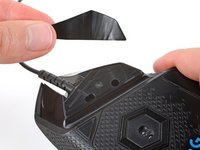
Gently slide the spudger farther under the foot and lift until you can grip the pad with your fingers.
-
-
Peel up and remove the foot.
-
If the rubber layer separates from its adhesive pad, use the same process to remove the pad.
-
-
-
-
To install a new foot:
-
If any of the feet got damaged during removal or separated from their adhesive pads, replace them.
-
Use a spudger to carefully scrape up and remove any remaining adhesive bits.
-
Use isopropyl alcohol and a microfiber cloth to thoroughly clean all adhesive residue from the foot recesses. Allow the surface to completely dry.
-
Remove the feet from their backing and firmly press them into place.
-
-
-
-
Tight plastic clips secure the top and bottom shells. During the next few steps you should feel and hear "clicks" as the clips release.
-
Insert the flat end of a spudger between the top and bottom shells, near the back of the mouse.
-
Twist the spudger to unclip the shells.
-
-
Insert the flat end of a spudger between the textured edge of the top and bottom shells, near the back of the mouse.
-
Slide the spudger towards the front of the mouse and intermittently twist, stopping near the screw hole.
-
Leave the spudger inserted for the next step.
-
-
-
Insert the flat end of a spudger between the top and bottom shells, near the back of the mouse.
-
Slide the spudger towards the thumb rest and push in to unclip the shells.
-
-
Insert the flat end of a spudger between the top and bottom shells, near the G8 and DPI shift (⊕) buttons at the front of the mouse.
-
Pry up with the spudger and push the shells apart to unclip them.
-
Unclipping this part of the mouse is tricky and may take a few tries. Be patient and don't pry too hard, or you may break one of the clips.
-
-
At this point, the shells should be fully separated. If they're not, repeat the previous unclipping steps with your spudger.
-
Lift the top shell straight up and remove it, making sure the main mouse cable stays attached to the bottom shell.
-
During reassembly, put the top shell back in place and work your way around the perimeter firmly squeezing the shells together to reengage the clips.
Embed this guide
Choose a size and copy the code below to embed this guide as a small widget on your site / forum.
Preview