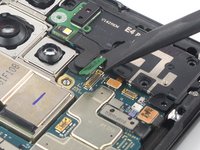
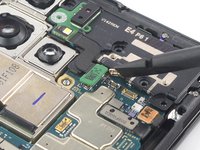
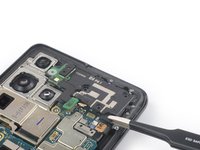
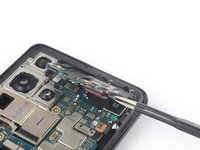
Free Shipping on Domestic Orders $75+

How to remove the laser AF module and earpiece speaker assembly in a Samsung Galaxy S21 Ultra

Prerequisite Only
This is a prerequisite-only guide! This guide is part of another procedure and isn’t meant to be used alone.

What you need

  1. How to remove the laser AF module and earpiece speaker assembly in a Samsung Galaxy S21 Ultra, Heat the back cover: step 1, image 1 of 1
    • Unplug and power off your phone before you begin.

    • Prepare an iOpener and apply it to the back cover for at least three minutes to loosen the adhesive underneath.

    • A hair dryer, heat gun, or hot plate may also be used, but be careful not to overheat the phone—the display and internal battery are both susceptible to heat damage.

    Ask FixBot

    Add Comment

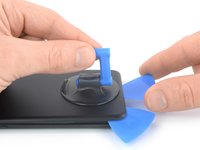
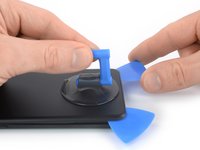
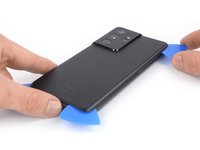
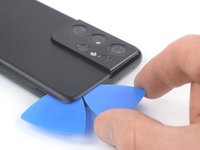
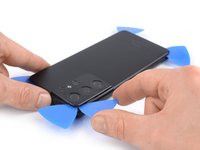
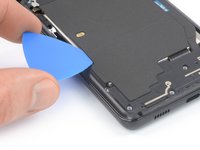
  2. How to remove the laser AF module and earpiece speaker assembly in a Samsung Galaxy S21 Ultra, Insert an opening pick: step 2, image 1 of 3 How to remove the laser AF module and earpiece speaker assembly in a Samsung Galaxy S21 Ultra, Insert an opening pick: step 2, image 2 of 3 How to remove the laser AF module and earpiece speaker assembly in a Samsung Galaxy S21 Ultra, Insert an opening pick: step 2, image 3 of 3
    • Secure a suction handle to the bottom edge of the back cover, as close to the edge as possible.

    • If the back cover is badly cracked, covering it with a layer of clear packing tape may allow the suction cup to adhere. Alternatively, very strong tape may be used instead of the suction cup. If all else fails, you can superglue the suction cup to the broken cover.

    • Lift the back cover with the suction handle to create a small gap between the back cover and the frame.

    • If you have trouble creating a gap, apply more heat to further soften the adhesive. Follow the iOpener instructions to avoid overheating.

    • Insert an opening pick into the gap you created.

    • Slide the opening pick to the bottom left corner to slice the adhesive.

    • Leave the opening pick in place to prevent the adhesive from resealing.

    Ask FixBot

    Add Comment

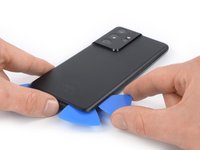
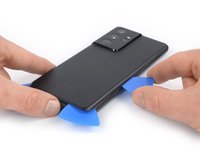
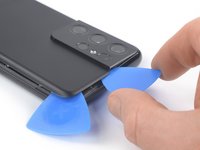
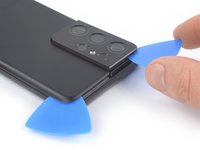
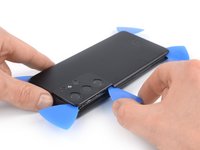
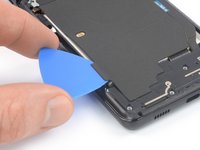
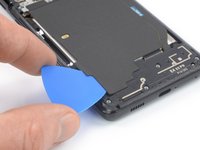
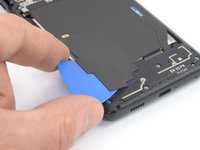
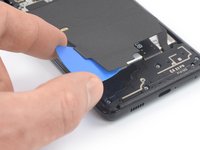
  3. How to remove the laser AF module and earpiece speaker assembly in a Samsung Galaxy S21 Ultra, Slice the adhesive: step 3, image 1 of 2 How to remove the laser AF module and earpiece speaker assembly in a Samsung Galaxy S21 Ultra, Slice the adhesive: step 3, image 2 of 2
    • Insert a second opening pick at the bottom edge of your phone.

    • Slide the opening pick to the bottom right corner to slice the adhesive.

    • Leave the opening picks in place to prevent the adhesive from resealing.

    Ask FixBot

    Add Comment

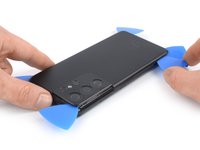
  4. How to remove the laser AF module and earpiece speaker assembly in a Samsung Galaxy S21 Ultra: step 4, image 1 of 3 How to remove the laser AF module and earpiece speaker assembly in a Samsung Galaxy S21 Ultra: step 4, image 2 of 3 How to remove the laser AF module and earpiece speaker assembly in a Samsung Galaxy S21 Ultra: step 4, image 3 of 3
    • If the adhesive becomes hard to cut, it has most likely cooled down. Use your iOpener for two to three minutes to reheat it.

    • Insert a third opening pick at the bottom right corner of your phone.

    • Slide the opening pick along the right edge of your phone to slice the adhesive.

    • Leave the opening pick in the top right corner to prevent the adhesive from resealing.

    Ask FixBot

    Add Comment

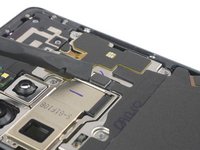
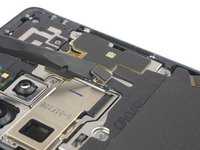
  5. How to remove the laser AF module and earpiece speaker assembly in a Samsung Galaxy S21 Ultra: step 5, image 1 of 3 How to remove the laser AF module and earpiece speaker assembly in a Samsung Galaxy S21 Ultra: step 5, image 2 of 3 How to remove the laser AF module and earpiece speaker assembly in a Samsung Galaxy S21 Ultra: step 5, image 3 of 3
    • When you slice near the camera assembly, insert only the tip of the opening pick (~ 4-5 mm) to avoid damaging or smearing the camera.

    • Insert a fourth opening pick underneath the top right corner of your phone.

    • Slide the opening pick along the top edge to slice the adhesive.

    • Leave the opening pick in the top left corner to prevent the adhesive from resealing.

    Ask FixBot

    Add Comment

  6. How to remove the laser AF module and earpiece speaker assembly in a Samsung Galaxy S21 Ultra: step 6, image 1 of 3 How to remove the laser AF module and earpiece speaker assembly in a Samsung Galaxy S21 Ultra: step 6, image 2 of 3 How to remove the laser AF module and earpiece speaker assembly in a Samsung Galaxy S21 Ultra: step 6, image 3 of 3
    • Insert a fifth opening pick underneath the top left corner.

    • Slide the opening pick along the left edge of the back cover to slice the remaining adhesive.

    • When you slice near the power button, insert only the tip of the opening pick (~ 3-4 mm) to avoid damaging the power and volume button flex cable.

    Ask FixBot

    Add Comment

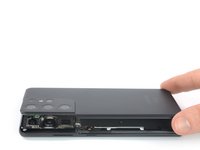
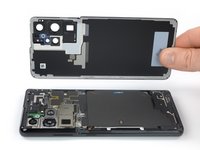
  7. How to remove the laser AF module and earpiece speaker assembly in a Samsung Galaxy S21 Ultra, Remove the back cover: step 7, image 1 of 2 How to remove the laser AF module and earpiece speaker assembly in a Samsung Galaxy S21 Ultra, Remove the back cover: step 7, image 2 of 2
    Tool used on this step:
    Tweezers
    $4.99
    Buy
    • Remove the back cover.

    • During reassembly:

    • This is a good point to power on your phone and test all functions before sealing it up. Be sure to power your phone back down completely before you continue working.

    • Remove any adhesive chunks with a pair of tweezers or your fingers. Apply heat if you're having trouble separating the adhesive.

    • If you're using custom-cut adhesives, follow this guide.

    • If you're using double-sided tape, follow this guide.

    Ask FixBot

    Add Comment

  8. How to remove the laser AF module and earpiece speaker assembly in a Samsung Galaxy S21 Ultra, Slice the adhesive: step 8, image 1 of 2 How to remove the laser AF module and earpiece speaker assembly in a Samsung Galaxy S21 Ultra, Slice the adhesive: step 8, image 2 of 2
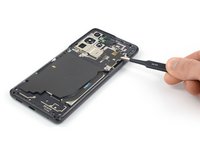
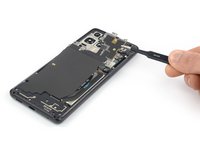
    • Insert an opening pick underneath the left bottom end of the NFC antenna and charging coil assembly.

    • Carefully slide the opening pick along the bottom left edge of the assembly to separate it from the battery.

    Ask FixBot

    Add Comment

  9. How to remove the laser AF module and earpiece speaker assembly in a Samsung Galaxy S21 Ultra: step 9, image 1 of 3 How to remove the laser AF module and earpiece speaker assembly in a Samsung Galaxy S21 Ultra: step 9, image 2 of 3 How to remove the laser AF module and earpiece speaker assembly in a Samsung Galaxy S21 Ultra: step 9, image 3 of 3
    • Insert an opening pick underneath the bottom end of the NFC antenna and charging coil assembly.

    • Carefully slide the opening pick along the bottom of the assembly to separate it from the loudspeaker.

    Ask FixBot

    Add Comment

  10. How to remove the laser AF module and earpiece speaker assembly in a Samsung Galaxy S21 Ultra, Disconnect the charging coil: step 10, image 1 of 2 How to remove the laser AF module and earpiece speaker assembly in a Samsung Galaxy S21 Ultra, Disconnect the charging coil: step 10, image 2 of 2
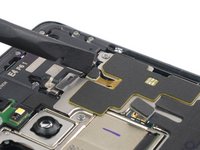
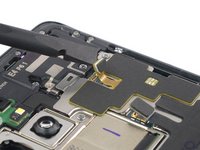
    • Use a spudger to disconnect the charging coil by prying the connector straight up from its socket.

    Ask FixBot

    Add Comment

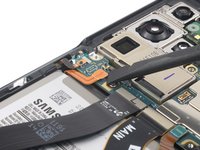
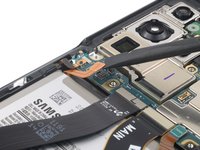
  11. How to remove the laser AF module and earpiece speaker assembly in a Samsung Galaxy S21 Ultra, Disconnect the NFC antenna: step 11, image 1 of 2 How to remove the laser AF module and earpiece speaker assembly in a Samsung Galaxy S21 Ultra, Disconnect the NFC antenna: step 11, image 2 of 2
    • Use a spudger to disconnect the NFC antenna by prying the connector straight up from its socket.

    Ask FixBot

    Add Comment

  12. How to remove the laser AF module and earpiece speaker assembly in a Samsung Galaxy S21 Ultra, Unfasten the NFC antenna & charging coil assembly screws: step 12, image 1 of 1
    • Use a Phillips screwdriver to remove the five 3.9 mm-long screws securing the NFC antenna and charging coil assembly.

    Ask FixBot

    Add Comment

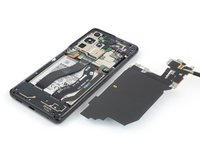
  13. How to remove the laser AF module and earpiece speaker assembly in a Samsung Galaxy S21 Ultra, Remove the NFC antenna & charging coil assembly: step 13, image 1 of 3 How to remove the laser AF module and earpiece speaker assembly in a Samsung Galaxy S21 Ultra, Remove the NFC antenna & charging coil assembly: step 13, image 2 of 3 How to remove the laser AF module and earpiece speaker assembly in a Samsung Galaxy S21 Ultra, Remove the NFC antenna & charging coil assembly: step 13, image 3 of 3
    Tool used on this step:
    Tweezers
    $4.99
    Buy
    • Use a pair of tweezers or your fingers to carefully remove the NFC antenna and charging coil assembly.

    Ask FixBot

    Add Comment

  14. How to remove the laser AF module and earpiece speaker assembly in a Samsung Galaxy S21 Ultra, Disconnect the battery cable: step 14, image 1 of 2 How to remove the laser AF module and earpiece speaker assembly in a Samsung Galaxy S21 Ultra, Disconnect the battery cable: step 14, image 2 of 2
    • Use a spudger to disconnect the battery cable by prying the connector straight up from its socket.

    Ask FixBot

    Add Comment

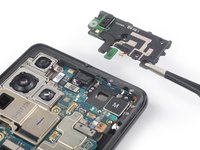
  15. How to remove the laser AF module and earpiece speaker assembly in a Samsung Galaxy S21 Ultra, Unfasten the earpiece and laser AF module assembly screws: step 15, image 1 of 1
    • Use a Phillips screwdriver to remove the four 3.9 mm-long screws securing the earpiece speaker and laser AF module assembly.

    Ask FixBot

    Add Comment

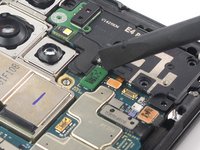
  16. How to remove the laser AF module and earpiece speaker assembly in a Samsung Galaxy S21 Ultra, Disconnect the laser AF module and earpiece speaker  flex cable: step 16, image 1 of 3 How to remove the laser AF module and earpiece speaker assembly in a Samsung Galaxy S21 Ultra, Disconnect the laser AF module and earpiece speaker  flex cable: step 16, image 2 of 3 How to remove the laser AF module and earpiece speaker assembly in a Samsung Galaxy S21 Ultra, Disconnect the laser AF module and earpiece speaker  flex cable: step 16, image 3 of 3
    • Use a spudger to disconnect the laser AF module and earpiece speaker flex cables by prying the connectors straight up from their socket.

    Ask FixBot

    Add Comment

  17. How to remove the laser AF module and earpiece speaker assembly in a Samsung Galaxy S21 Ultra, Remove the earpiece speaker and laser AF module assembly: step 17, image 1 of 3 How to remove the laser AF module and earpiece speaker assembly in a Samsung Galaxy S21 Ultra, Remove the earpiece speaker and laser AF module assembly: step 17, image 2 of 3 How to remove the laser AF module and earpiece speaker assembly in a Samsung Galaxy S21 Ultra, Remove the earpiece speaker and laser AF module assembly: step 17, image 3 of 3
    Tool used on this step:
    Tweezers
    $4.99
    Buy
    • Grab the bottom right corner of the earpiece speaker and laser AF module assembly with a pair of blunt nose tweezers and carefully lift it upwards.

    • Remove the earpiece speaker and laser AF module assembly.

    Ask FixBot

    Add Comment

Conclusion

To reassemble your device, follow these instructions in reverse order.

Cancel: I did not complete this guide.

Dominik Schnabelrauch

Member since: 11/23/16

261,093 Reputation

682 Guides authored

Team

iFixit Member of iFixit

Staff

123 Members

30,155 Guides authored

0 Guide Comments

Add Comment

View Statistics:

Past 24 Hours: 0

Past 7 Days: 6

Past 30 Days: 24

All Time: 174