Introduction
Use this guide to replace the bezel in your Framework 13 laptop.
What you need
-
-
-
Open the laptop so the screen sits flat on your work surface.
 Ask FixBot
-
-
-
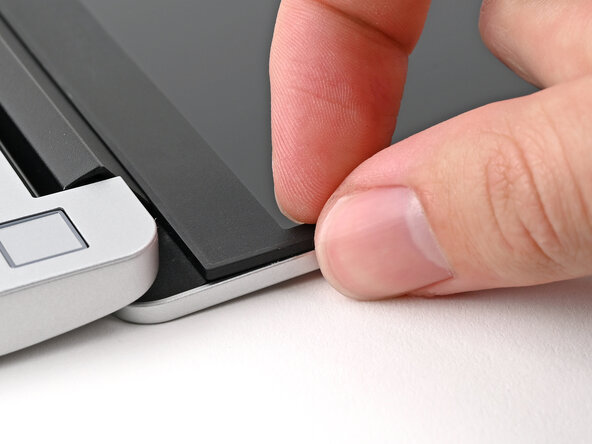
Slide your fingernail under the inside edge of either bottom corner of the Bezel.
-
Pull the Bezel away from the screen to release the first few magnets.
-
-
-
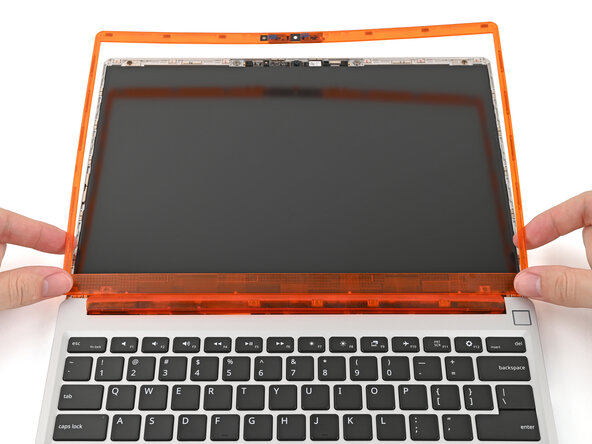
Lift the Bezel around the perimeter of the screen until all of its magnets are released.
-
Remove the Bezel.
-
-
-
-
-
-
Before continuing, check if cables next to the hinges are routed properly:
-
The Display Cable should be routed just above the hinge without any large gaps.
-
The Display Cable should be routed between the metal clips.
-
The Webcam Cable should be routed just above the hinge without any large gaps and shouldn't overlap with the antenna cables.
-
-
-
Align the bottom edge of the Bezel with the top edge of the Input Cover and press down so the Bezel covers the hinges and cables.
-
Lay the rest of the Bezel over the screen and let the magnets pull it into place.
-
-
-
Use your fingers to press around the edge of the Bezel. The magnets should easily snap into place.
-
If the Bezel is still uneven, remove the Bezel and reseat it. Refer to this step for how the cables should be routed.
-
-
-
If there are any plastic liners covering the webcam and microphone, remove them.
-
-






You finished fixing your Framework Laptop!
Take your e-waste to an R2 or e-Stewards certified recycler.
If you need help, contact Framework support.
Cancel: I did not complete this guide.
One other person completed this guide.

