Brother MFC-240C Teardown
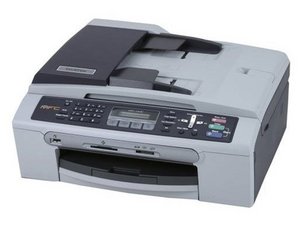
|
8 Answers 11 Score |
Colour cartridges full but not printing |
|
3 Answers 1 Score |
paper jam every time |
|
10 Answers 7 Score |
Why is my printer printing photos all with a yellow cast? |
|
2 Answers 5 Score |
error code 46 brother printer mfc240c |
The Brother MFC-240C is an all in one printer, suitable for the home office. It provides rich, detailed prints and fast, stand-alone black-and-white faxing.
Brother MFC-240C Quick Setup Guide
Brother MFC845CW, MFC665CW, MFC660CN, MFC440CN, MFC240C, FAX2580C, FAX2480C Service Manual
Brother MFC-240C Quick Setup Guide
Brother MFC-240C Colour Inkjet All-in-One Datasheet
Brother MFC845CW/665CW/660CN/440CN/240C/FAX2580C/2480C Service Manual
Brother MFC-240C Guía de configuración rápida
Brother MFC-240C Guida dell'utente
Past 24 Hours: 4
Past 7 Days: 19
Past 30 Days: 86
All Time: 12,163