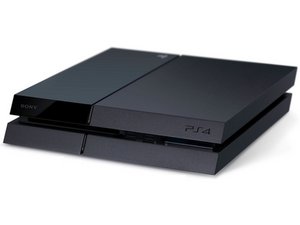

A television game console produced by Sony Computer Entertainment, also known as PS4. First announced February 20, 2013 and released November 15, 2013.

Error Code SU-42118-6 (Stuck in Safe Mode)

Hello,

I recently purchased a ps4 fat with (I believe) firmware 6.50. I bought it under the assumption there would be an issue (there was). It turns on fine, then shuts off, turns back on into safe mode and asks me to use a USB with a firmware update 6.50 or higher. Once I do that, it errors out and gives me the error code (SU-42118-6) and tells me to power off the ps4. I boot it up into safe-mode and all the options grey out besides initialize and it all leads back to the USB into the error message. I have quadruple checked the USB is set up correctly and I have confirmed the correct firmware is installed (I tried 6.72 & 9.00). The warranty stickers are all missing so there's definitely been someone in the device prior to me. I tried a new HDD and different data cables (it was missing when I opened it originally) I'm not sure how to decide to proceed. I'm set on fixing the device so i'm curious if I should dive in on checking if the daughter board is working properly or if replacing the drive itself would possibly fix this issue.

I reached out to the seller and they said they have no idea what happened since its been so much time. I got it for cheap so, I'm not concerned about a refund or anything of the sort.

Any advice/info on this topic would really help my headache.

Thanks everyone!

Answer this question I have this problem too

Is this a good question?

Score 0
Add a comment

1 Answer

Most Helpful Answer

Hi!

As you did tried al possible software solutions, it’s probably hardware related causing the issue.

That error code (SU-42118-6) is pointing towards the disk drive it’s mainboard OR ribbon cable.

First I would replace the ribbon (data) cable for a new one! If it’s still failing, you might want to replace the drive it’s PCB, but be aware, replacing this will stop the PS4 from reading games… You need your original PCB to get this working (as this one is married to the motherboard with a unique code). So,, you can replace it and update your PS4 again, also you can play downloaded games. But disc games are a no go, only blu-ray movies will work.

So, first I would test a new ribbon/data cable and see how that works out!

Please let us know how it goes!

Was this answer helpful?

Score 1

4 Comments:

Awesome! So you’re suggesting just replacing the Daughter board correct? For what I’m doing with the console I don’t need the disc drive so all good in that department.

So if I replace the daughter board, it should update and be able to function but just won’t be able to read games?

by

Correct! If you replace the daughter board, you cannot play PS4 disc games, but at least it should update! The thing here is, that it's just not able to recognize the disk drive preventing it from updating. It does need to see a disc drive before it can proceed. So, a new ribbon/data cable could also solve it, so trying that first would be recommended. If that fails as well, then replace the daughterboard! Thank you!

by

Wheres the best place to purchase a new daughter board? I'm checking ebay and I see a lot of untested or for parts daughter boards?

Thanks for all the suggestions and help so far!

by

My pleasure! Yes you can buy them on Ebay, Amazon or AliExpress. There are loads of them available on AliExpress!

Have a nice day!

by

Add a comment

Add your answer

Peyton Erwin will be eternally grateful.
View Statistics:

Past 24 Hours: 4

Past 7 Days: 6

Past 30 Days: 41

All Time: 41
