
 7
7  1
1  1
1 How to migrate the "iPod loop" to a new casing
I recently bought a new casing for my iPod touch 5 and it doesn't come with that little "iPod loop". I can't figure out how to separate it from the old casing, and fixit doesn't seem to have a guide for this. Can anyone tell me how to take it off?
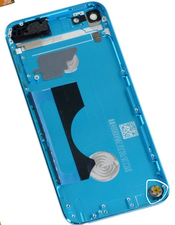
Edit: This thing right here. I've tried everything I can, but I just can't figure out how to remove it.
Is this a good question?
Score
0

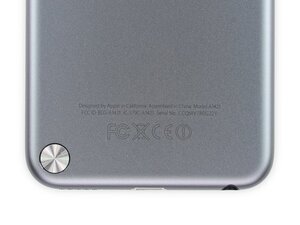


Can you post a picture of this loop part you are struggling with. Or point to it from within one of the images in this guide iPod Touch 5th Generation 16 GB Teardown
by DanJ
Just edited my question. Y iPod is reassembled right now, so I used a picture from the teardown. The casing I bought was a secondhand one without the "iPod loop", so it must be removable somehow.
by Leooooo1061