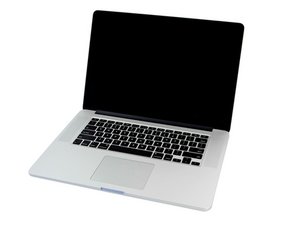

2.2 GHz (Turbo Boost up to 3.4 GHz) or 2.5 GHz (Turbo Boost up to 3.7 GHz) quad-core Intel Core i7 processor with 6MB shared L3 cache.

Touchpad not found after replacement

Hi all -

Original symptoms were short battery life and touchpad physical clicking not working. I bought a replacement battery and touchpad.

Battery was definitely bulging and putting pressure on the touchpad. I swapped out both and when booted back up - no mouse movement or clicking at all from the touchpad. External mouse works fine, so I went into system preferences and then Touchpad. It said "Touchpad not detected" or something along those lines and had a spinning circle indicating that it was searching for bluetooth touchpads.

So I opened it back up and swapped in the original touchpad - mouse movement but no clicking. But still, system preferences says it doesn't detect a touchpad (I was hoping to at least turn on tap to click.)

So, what am I missing? Is there some extra step to set up the touchpad with the OS? Does the lack of movement on the replacement pad mean that it's DOA?

Thanks for any help!

Answer this question I have this problem too

Is this a good question?

Score 0
Add a comment

2 Answers

Have a look at the MacBook Pro 15" Retina Display Mid 2014 Logic Board Replacement & check step 25 for the touchpad connection to see if it is correctly seated. This maybe your issue.

Was this answer helpful?

Score 0

2 Comments:

Well, that was the first thing I tried, reseating the connector. Still no change. Then I reinstalled the original pad and got mouse movement, but it still doesn't show up in preferences. Then I switched back to the new pad and it's still no movement and not showing up in preferences

by

@agitatedgopher Hmmmm.... Maybe @danj can give some thoughts....

by

Add a comment

Did you also replace the trackpad cable with the trackpad MacBook Pro 15" Trackpad Cable (13/14) the cable holds the interface chip which can get damaged.

Was this answer helpful?

Score 0

2 Comments:

Yes, the new trackpad came with a new cable. I haven't removed the cable from either pad, just disconnected from the logic board

by

@agitatedgopher - Try replacing the cable with a fresh one. I’ve hit a few bad ones as I suspect the chip is a bit static sensitive (ESD).

by

Add a comment

Add your answer

AgitatedGopher will be eternally grateful.
View Statistics:

Past 24 Hours: 1

Past 7 Days: 2

Past 30 Days: 14

All Time: 97
