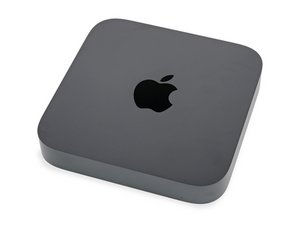

Model A1993. 2018 refresh of the Apple Mac mini. Processor options include 3.6 GHz quad-core Intel Core i3, 3.0 GHz 6-core Intel Core i5, and 3.2GHz 6-core Intel Core i7 processors.

The status indicator light is on once connected to power

My mac mini i7 cannot send video signal to monitor (black screen). I found the indicator light will immediately on (white) once I connected this Mac mini to power. Press the power button for 10 seconds, I can turn off the Mac min and the light also turned off. the light will be on if unplug and replug in .

Answer this question I have this problem too

Is this a good question?

Score 0
2 Comments

Have you tried anything specifically yet to fix this? This could be as simple as a bad cable. How are you connecting your Mac to the monitor?

by

I have two Mac mini, the other one is i5 I used the same hdmi cable. mini i5 is working well. I connected this working min i5 to the same power supply, the indicator light won't turn on until I press the power button.

by

Add a comment

1 Answer

Most Helpful Answer

Given your symptoms I’m suspecting the I/O logic within the CM246 platform controller has failed, I’ve seen this before as the video wake line still functions which is what you are seeing.

Sadly, this system will need a new logic board.

Was this answer helpful?

Score 1

2 Comments:

Thanks, Dan. Could you tell me the name of logic board and where I can find it ?

thanks,

by

@yuan24263 - This series has soldered storage, as such each version has a different P/N. Review this listing to find the one you either have now or if storage is a bit thin jump up to a larger version. 2018 Mac Mini Logic Boards

by

Add a comment

Add your answer

yuan will be eternally grateful.
View Statistics:

Past 24 Hours: 1

Past 7 Days: 1

Past 30 Days: 16

All Time: 190
