
Free Shipping on Domestic Orders $75+

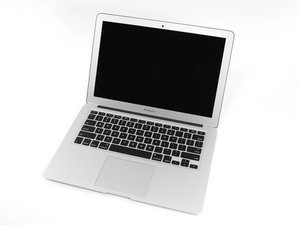
In June 2017 Apple updated its 13" MacBook Air with a newer Broadwell Intel Core i5 processor, resulting in slightly increased performance and battery life.

Power Cable and Battery

I have been trying to find answers for this for the last few weeks.

I have a 2017 MacBook Air with the I7 processor. I’m on my second battery and second charger cord with this computer.

The first battery died after only about 500 cycles. The new battery had 289 cycles and the full charge capacity is (mAh): 6543.

My first charger started to brown close to the MagSafe Connector. I have also noticed that when the cord gets pretty hot when I’m charging the computer. I can hold the MagSafe but it is on the verge of being too hot.

I have also noticed that the left corner computer gets warm while in use. I have taken it apart and dusted it. I have also upgraded the thermal paste. I’m wondering if it is my I/O board that is the culprit.

I do need to add, I have also reset the SMC.

Update (08/05/24)

Block Image

I was wondering what part is causing the problem?

Answer this question I have this problem too

Is this a good question?

Score 1
1 Comment

@dmclcc have you tried an original Apple Magsafe? One of the issues with the cheap aftermarket chargers is that they are always supplying full voltage (20VDC) whereas the original uses an IC that controls the power and even shuts off your Magsafe when the wattage goes high etc. From what I read in your Question and your comments, the issue right now is your charger and not your MacBook Air 13" Early 2017. Let me know if that is correct.

by

Add a comment

2 Answers

Most Helpful Answer

A common issue this series suffered was damage from using a knockoff charger. What happens is the comparator logic gets damaged which allows the charger to over charge or in the case of the knockoff charger the charger doesn’t lower or stop charging. That explains why your battery swelled and could explain why the fresh battery is not working properly.

This will need someone with micro soldering skills and access to the SMD parts that are damaged.

Was this answer helpful?

Score 1

5 Comments:

That is not what I wanted to hear.

by

Can you recommend an article about this? I am trying to do some research to weigh my options.

by

Here’s an example MacBook not charging battery, logic board repair

All of the MacBooks share the same charging design

by

Hey @danj I am going to post a photo would you be able to point out what part causes the problems. I finally found a friend that can do micro soldering.

by

@dmclcc - it’s not that simple, you need the schematics and board view drawings to narrow things down testing the voltages.

by

Add a comment

@dmclcc this is NOT an ANSWER but only a comment that requires images.

Have you tried an original Apple Magsafe? One of the issues with the cheap aftermarket chargers is that they are always supplying full voltage (~20VDC) whereas the original uses an IC that controls the power and even shuts off your Magsafe when the wattage goes high etc. From what I read in your Question and your comments, the issue right now is your charger and not your MacBook Air 13" Early 2017. Let me know if that is correct.

Now, if you do have issues with your logicboard based on a third party charger you will need to start with these two components. Those are the ones that set the AC_in threshold. As you can see , they are on the opposite side of the board compared to what you have posted.

Block Image
Block Image

Was this answer helpful?

Score 0
Add a comment

Add your answer

DMCLCC will be eternally grateful.
View Statistics:

Past 24 Hours: 2

Past 7 Days: 4

Past 30 Days: 24

All Time: 281

