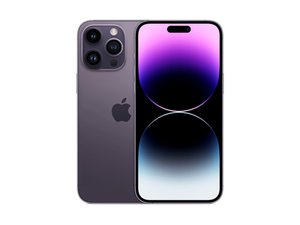

Apple's top-of-the-line flagship for 2022. Released September 16th, the iPhone 14 Pro Max sports a 6.7" ProMotion OLED, the new Bionic A16 chip, a triple rear camera system, and 5G connectivity. Successor to the iPhone 13 Pro Max.

Restoration of True Tone after screen replacement (iPhone 14 Pro Max)

Got a new iPhone 14 PM about 4 months ago and yesterday it tried to jump to its death. Wound up with a shattered screen and dead digitizer. After screen replacement, I'd love to restore True Tone. Does anyone know if there exists a method like " How To Restore True Tone After Screen Replacement On iPhone XS " that works for the 14 Pro Max? Looked all through the different programmers out there and can't find any that specify compatibility with the 14 PM for restoration of True Tone. If anyone has any leads or info I sure would appreciate it. Thanks!

Answered! View the answer I have this problem too

Is this a good question?

Score 2
Add a comment

6 Answers

Chosen Solution

I've got the Qian Li iCopy 2.2 and unfortunately I can't find any support for anything later than the 11 Pro Max on the screen. The battery has support through the 13 Pro Max, but stops there.

Hate to say it, but doesn't look like the iCopy is going to help. Maybe the JC V1S has something...

Update (08/05/25)

I happened to glance back at this thread, and as it turns out, there is an update that's relevant.

As of iOS 18, a new tool is included with the update called the Repair Assistant. Using it, you can pair your replacement screen to your logic board and restore the True Tone function. Note that it only works with genuine Apple screens, although it's my understanding it doesn't have to be a new screen, as long as it doesn't come from a phone that's been reported lost or stolen.

Was this answer helpful?

Score 2
Add a comment

As far as I am aware, there are no programmers yet which support the iPhone 14 series. This is bound to change at some point. But for the time being, the only way to restore True Tone would be to transfer the chips which store this data from the old screen to the new screen.

Transferring these components is not something most folks have the skills to do. But it can be done. It requires the ability to solder BGA chips in a temperature sensitive environment (too much heat and you damage the display). Other than that, you’ll need to wait for a programmer, or take it to Apple to get your True Tone back.

Was this answer helpful?

Score 1
Add a comment

You'd need the old screen and to find a shop with the very latest programming tool.

Was this answer helpful?

Score 0
Add a comment

Currently, after replacing the screen of iPhone series 13 and series 14, there is no option to copy truetone except for genuine screen replacement from Apple.

However, now there is a type of screen that seems to be a genuine apple screen, when replacing, you don't need to put the old screen IC but just install a new screen and run it again, then there will be a message "genuine parts" same as in apple store but cost more than external monitor.

Was this answer helpful?

Score 0

1 Comment:

Please, can you recommend me store where I can buy a 14pro max display which I will not need to swap Chip but just work normally like genuine

by

Add a comment

I have the same issue. My screen fell on the road, it got shattered, and I replaced it at a 3rd party repair shop. The replacement screen I got from him is a genuine iPhone 14 Pro Max screen. After replacing the screen, everything works perfectly except for TruTone and automatic brightness. Both stopped functioning.

Was this answer helpful?

Score 0
Add a comment

Using a Screen Programmer (EEPROM Transfer Method)
To restore True Tone, you’ll need to transfer the screen’s original calibration data. Specialized tools like a JC V1S, Qianli iCopy, or JCID can extract and clone the necessary information.

Steps:

  1. Backup Calibration Data: Connect the original screen to the programmer and read the EEPROM data.
  2. Transfer Data: Connect the replacement screen and write the stored data to it.
  3. Reinstall the Display: After data transfer, reinstall the new screen and verify True Tone is reactivated in Settings → Display & Brightness.

Was this answer helpful?

Score 0

1 Comment:

Thank you for your comment, but I believe you are two years late. :’(

I already bought the iPhone 16 Pro Max.

Thanks nevertheless!

by

Add a comment

Add your answer

Lost will be eternally grateful.
View Statistics:

Past 24 Hours: 10

Past 7 Days: 47

Past 30 Days: 181

All Time: 7,178