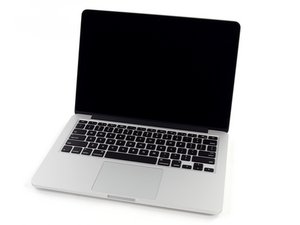
Model A1502 / 2.6 GHz (Turbo Boost up to 3.1 GHz) or 2.8 GHz (Turbo Boost up to 3.3 GHz) dual-core Intel Core i7 processor with 4MB shared L3 cache.

How can I get to the keyboard?

Essentially, that. I see that there is no guide on how to disassemble the machine to get to the keyboard, and I would like to give it a thorough clean after an unfortunate case of a coffee spill.

Answer this question I have this problem too

Is this a good question?

Score 0
Add a comment

1 Answer

I think you’ll find replacing the uppercase would be just easier MacBook Pro 13" Retina (Late 2013-Mid 2014) Upper Case Assembly here’s the guide MacBook Pro 13" Retina Display Mid 2014 Upper Case Replacement

Replace an aluminum Upper Case Assembly compatible with the Late 2013 to Mid 2014 model A1502 MacBook Pro 13" Retina laptop. Includes the backlit keyboard and may include the trackpad and trackpad. Part #661-8154. Image

Product

MacBook Pro 13" Retina (Late 2013-Mid 2014) Upper Case Assembly

$149.99

Was this answer helpful?

Score 0
Add a comment

Add your answer

Javier Esquivel will be eternally grateful.
View Statistics:

Past 24 Hours: 0

Past 7 Days: 0

Past 30 Days: 1

All Time: 35
