
Free Shipping on Domestic Orders $75+

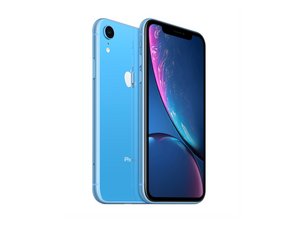
Released October 26, 2018. Models A1984, A2105, A2106, A2108. Available as GSM or CDMA / eSIM, nano-SIM or dual-SIM / 64, 128, or 256 GB / Black, White, Blue, Yellow, Coral, or Red. (Pronounced "iPhone 10 R.")

Inverted colors but ... not totally?

My iPhone has some photos that are rendering as inverted. I am attaching a sample screenshots from my screen. You’ll notice that not everything is inverted, only some images.

Block Image
Answer this question I have this problem too

Is this a good question?

Score 0
Add a comment

2 Answers

usually there are filters that can be activated on the pictures while using the camera application. i believe the button is the 3 little circles on the tool bar.

check to make sure there are no filters enabled. you may be able to edit the photos to make them normal color again since its just an invert but im not 100% sure on that.

Was this answer helpful?

Score 0
Add a comment

The filters for images were not used to create the images. As a matter of fact, some of the images actually look normal when I tap one.

Was this answer helpful?

Score 0
Add a comment

Add your answer

Paul Dunlap will be eternally grateful.
View Statistics:

Past 24 Hours: 0

Past 7 Days: 2

Past 30 Days: 3

All Time: 82
