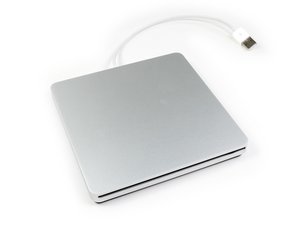

An external optical drive by Apple, essentially a rebranding of the MacBook Air SuperDrive.

Disc got stuck in side

My disc got stuck in side and it does not read when you plug it in to a computer neither does it give me the option to eject the disc.

Does any one have ideas on how to get it to Eject or am i going to have to take it apart .

I appreciate the help.

Answered! View the answer I have this problem too

Is this a good question?

Score 0
Add a comment

1 Answer

Chosen Solution

Reboot your Mac holding down the eject key on your keyboard. It’s usually the very top right key on the keyboard.

Was this answer helpful?

Score 1
Add a comment

Add your answer

Ian Donahue will be eternally grateful.
View Statistics:

Past 24 Hours: 0

Past 7 Days: 1

Past 30 Days: 4

All Time: 533