
Rightside Fan 0rpm - Sensor Error?
Hi folks,
I have a recurring issue which is causing me problems:
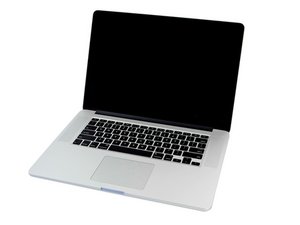
My MacBook Pro mid-2015 rightside fan seems not to be working. I have used different software (Macs Fan Control, iStat) to determine this.
This causes kernel task to fill up the memory and stops me from doing the things I need to.
I previously replaced this fan and did have some success, but the issue is back.
However, when I power on with the shell open, both fans are spinning perfectly fine - so this leads me to believe a sensor is incorrectly reading the RPM of the right fan as 0, and acting accordingly, when it is in fact working.
What is my best bet to fixing this issue?
I’ve tried an SMC and PRAM reset already.
Thanks,


Update (10/21/2020)
Hi @danj
So I followed the instructions to inspect the SMC chip and couldn’t notice anything myself, but took a few images that maybe someone else will notice something with.


However, upon reassembling the right side fan is now being measured accurately and seems to be working. BUT, the left side fan is now not working the same: It registers a slow speed every few seconds but almost immediately returns to zero.
I’ll attach stats on both fans (the previously working but not producing any RPM results right is the one reaching the top and constant speeds).


The kernal_task issue doesn’t seem to have occurred so far, so I guess this is a better situation than I was previously in.
Bottom line, what would you do at this point?
Thank you
Update (10/21/2020)
Spoke too soon.. kernal task is still an issue.
Is this a good question?

 35
35  344
344  977
977 

2 Comments
I would first try running the onboard diagnostics. Restart your system and press the D key. Did you get any errors?
I personally find TG Pro a more useful app than Macs Fan Control & iStat to diagnose cooling & thermal issues.
If you are seeing kernel_task process building up threads under Activity Monitor you are facing a deeper issue within SMC's sensors.
by DanJ
Hi Dan, thanks so much for your response.
Yes, I have run diagnostics, I got :
PPF004 with additional PPF003 errors.
I had this issue last year, replaced the fan and still it persisted - but after days or weeks it miraculously fixed itself: the fan was registering a normal RPM and no kernal_task issue.
But now it's back and I'd love to get to the bottom of it..
by Mike Chalmers