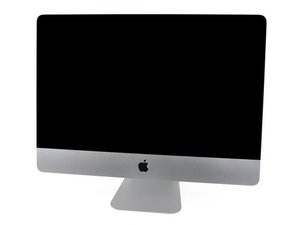

Model A1311 / Mid 2010 / 3.06 & 3.2 GHz Core i3 or 3.6 GHz Core i5 Processor

SSD drive in optical caddy?

Hi!

Just a quick question. A couple of years ago I replaced the internal HDD with a SSD which led to a spinning fan etc, so I installed a software app which have worked pretty good. Now I want to do it “right”, and I’ve read that if you install the SSD in a optical caddy, the fan won’t go nuts? Obviously I’m gonna reinstall the original HDD. So original HDD and a SSD in the optical caddy, match made in heaven? Best solution?

/Oscar

Answered! View the answer I have this problem too

Is this a good question?

Score 0
Add a comment

1 Answer

Chosen Solution

You probably didn’t know you needed the OWC In-line Digital Thermal Sensor for iMac Late 2009 - Mid 2010 Hard Drive Upgrade.

Apple used a propriety heat sensor and if you change the hard drive you will get a run away fan, this sensor prevents that.

iMac Intel 21.5" and 27" (Late 2009-Mid 2010) SSD Temperature Sensor

https://eshop.macsales.com/item/OWC/DIDI...

UPDATE

iFixit EU Store

iMac Intel 27" Mid 2010 Dual Hard Drive Kit

https://eustore.ifixit.com/products/imac...

Add an SSD to your iMac with this cable. A temperature sensor for the SSD is included. Image

Product

iMac Intel 21.5" and 27" (Late 2009-Mid 2010) SSD Temperature Sensor

$39.99

Was this answer helpful?

Score 1

10 Comments:

Thanks for the answer. Yeah, I did knew that, but at that time I was satisfied with the fan control solution and I was happy saving a couple of bucks. I also live in Sweden so that thing wasn't easy to come by. But, if we return to the main question, is SSD in a optical caddy a better solution?

by

See the dual hard drive kit update. SSD with optical BUS is to slow.

by

@mayer This series has both SATA ports running SATA II (3.0 Gb/s) so it doesn't matter which port the SSD is sitting in.

by

@danj OK but why lose the optical drive when you don't have to?

by

This system only has two SATA ports unlike the the 2011 models which have three.

So its a bit of a toss up! What's important to the OP. Having a dual drive config (HDD & SSD) or a single drive and the optical drive.

by

Show 5 more comments

Add a comment

Add your answer

OscarPetré will be eternally grateful.
View Statistics:

Past 24 Hours: 0

Past 7 Days: 0

Past 30 Days: 8

All Time: 261