Free Shipping on Domestic Orders $75+

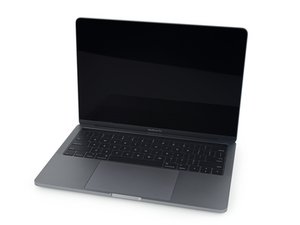
{A1989 / EMC3214}—Released in July 2018, the 13" MacBook Pro features quad-core i5 and i7 processors and Intel Iris Plus integrated graphics.

MacBook Pro Screen replacement - will it work?

Hi all,

I have a macbook pro 13” 2018 touch bar model (A1989), I am looking to replace the screen as I have cracked the screen. I have bought a replacement screen, the correct one for my model.

I have read that the T2 chip will brick my mac if I attempt to replace the screen, yet I've heard others do it with success. How likely is it that I will be unsuccessful in replacing my screen? Is there anything I can do to reduce the risk? Is it even worth it?

Many thanks in advance

Answered! View the answer I have this problem too

Is this a good question?

Score 0
Add a comment

1 Answer

Chosen Solution

First lets make sure you got the correct part:

As far at the T2 chip it won’t stop you using these displays. The risk is off-brand or using the older 2016/17 model display as it won’t work correctly. Here’s the best guide we have to do it MacBook Pro 13" Touch Bar 2017 Screen Replacement. Its not overly hard, but you do need to be careful not damage the ribbon cables.

Was this answer helpful?

Score 3

9 Comments:

Hey bud, thanks for your answer. After replacing the screen I've ran into a few problems. The fans are going crazy, speed has drastically dropped and the backlight isnt working. I've ran an apple diagnostics and got the following codes PN001 and PM006. I've tried putting back on the old screen but the problem persists. I've also reset the smc and Nvram. I've downloaded tg pro and it detects there is a problem with an unkown temperature sensor? Where could this be as I've took apart and reassembled the laptop many times now.

Many thanks

by

Sounds like you messed up something. Are you sure these are the error messages? PN001 and PM006 I have no references to them.

Your systems symptoms ramped up fan and sluggish response is telling me your SMC is in Safe Mode trying to protect your system from overheating. So that gives us a start as one of the major sensors is telling its not working.

by

@danj sorry, I messed those codes up! They are PPN001 and PFM006.

With regards to the temperature sensor, what one could it be? I followed the guide on this site to a tee (if that's any help)

by

Where did you get the display?

by

Show 4 more comments

Add a comment

Add your answer

Louis Wooton will be eternally grateful.
View Statistics:

Past 24 Hours: 0

Past 7 Days: 1

Past 30 Days: 11

All Time: 2,234
