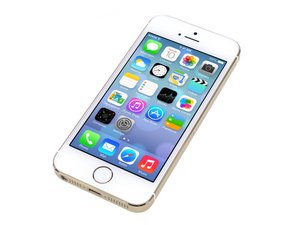
Repair information and guides for the Apple iPhone 5s that was announced on September 10, 2013. Model: A1533, A1453, A1457, A1528, A1530, A1518

Red screen Boot loop

I have a iPhone 5s with boot looping and appears a red screen. I know that can be a lot of problems, but I don’t know how can I test and find the problem. I have a multimeter and a soldering station. I already have removed the motherboard. And now, I d’like to test with the multimeter if is some problem in the tracks of the front-facing camera. And if not, how can I test the Tristar or the worst case the NAND.

Answered! View the answer I have this problem too

Is this a good question?

Score 1
Add a comment

1 Answer

Chosen Solution

You should rule out a parts issue before moving on to the logic board. You haven’t told us what diagnostics you did before removing the board like.

·         Disconnected front flex assembly

·         Disconnected home button.

·         Replaced screen.

·         Replaced battery.

·         Tried a hard reset.

·         Tried an update

·         Restored the phone.

Once you know it isn’t a parts problem you can move onto the board. You could test Tristar with a Tristar tester or you can diode the dock connector and compare readings to a known good board.

 As for the NAND I would see if any errors came up in iTunes while doing an update or restore.

Was this answer helpful?

Score 2

3 Comments:

Thanks for answered, @imicrosoldering. At first, I have replaced the battery. And after, the screen. Also, the home button wasn't working and I replaced for a new.

Update: I already disconnected the front flex assembly, because I also got a problem with this, the same problem. For this reason, I suppose that the problem could be the tracks of the motherboard.

by

After a long time, I decided to try to give one more chance to repair this iphone 5S. Until the last update of this post, I had not yet done the tristar test with the card in the connector because I had to travel and I was without any of the equipment. Only today was I able to take the test. The pins have stable values, pin 4 is the only one that has no signal on the multimeter. So, as I read, I believe it probably must be the charge or battery, right?

by

@thatoo_apple Put it in recovery mode and try an update or restore with iTunes.

by

Add a comment

Add your answer

thalisson_santos will be eternally grateful.
View Statistics:

Past 24 Hours: 1

Past 7 Days: 1

Past 30 Days: 6

All Time: 338