
Free Shipping on Domestic Orders $75+

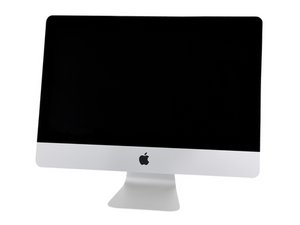
A1418 / EMC 3069 / 2017 / 3.0 GHz quad-core i5, 3.4 GHz quad-core i5 or 3.6 GHz quad-core i7 Processor. Released June 8, 2017.

Fitting second hard drive

I have a 21.5” 2017 iMac which has an Apple blade SSD (SM0512L) fitted.

I have removed the screen from the iMac and the 2.5” drive is totally empty.

I was thinking of mounting a 2.5” SATA SSD in this drive bay, but I am not sure if the SATA connector is in place.

Please confirm whether the SATA connector would normally be in place if a blade SSD has been fitted and if not whether it is possible to order the SATA connector nad mount a 2.5” drive as a second drive (leaving the blade drive as the boot drive)?

If the SATA cable needs to be connected, is it necessary to remove the logic board in order to plug in the cable>

Thanks for any help that you can provide.

Answered! View the answer I have this problem too

Is this a good question?

Score 0
Add a comment

1 Answer

Chosen Solution

The logic board connector is in place you’ll need to install the combo cable (SATA & Power).

Block Image

iMac 21.5" (Late 2013-2017) SATA Cable

Yes, you’ll need to loosen the board to gain enough room to install the cable

Replace a broken or malfunctioning SATA Cable in your Late 2013 to 2017 model iMac 21.5" desktop computer. Image

Product

iMac 21.5" (Late 2013-2017) SATA Cable

$12.99

Was this answer helpful?

Score 0
Add a comment

Add your answer

Darrell Haslam will be eternally grateful.
View Statistics:

Past 24 Hours: 4

Past 7 Days: 5

Past 30 Days: 17

All Time: 165
