Free Shipping on Domestic Orders $75+

2.2 GHz (Turbo Boost up to 3.4 GHz) or 2.5 GHz (Turbo Boost up to 3.7 GHz) quad-core Intel Core i7 processor with 6MB shared L3 cache.

MacBook Pro 'z' key repeats even after disconnecting the keyboard

Hi,

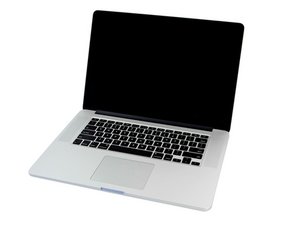
I have 15" MacBook Pro Mid 2014. I'm having issues with 'z' key. When I first boot up my mac, on login screen I can see it is repeating keys before I hit the first key and it stops after I start typing any character on the keyboard. After I login to OS, 'z' key does not work at all.

I was planning to replace the top case or the keyboard. However, I just tried to boot my mac after I disconnect keyboard ribbon cable. I realised even the keyboard is not connected, it repeats 'z'.

So looks like the issue is not the keyboard itself.

What do you think the issue is?

Answer this question I have this problem too

Is this a good question?

Score 0
Add a comment

1 Answer

Most Helpful Answer

IT sounds like you have corrosion on the logic board. You’ll need to fully remove the logic board to inspect it very carefully for signs of a liquid spill (staining) or visible corrosion. Follow this guide: MacBook Pro 15" Retina Display Mid 2014 Logic Board Replacement take some pictures of anything that looks off and post it here for us to see Adding images to an existing question. Use the pictures in the guide as well as the part its self to compare with your system.

iFixit Image

Guide

Adding images to an existing question

Difficulty:

Very easy

2 - 5 minutes

MacBook Pro 15" Retina Display Mid 2014 Logic Board Image

Guide

MacBook Pro 15" Retina Display Mid 2014 Logic Board Replacement

Difficulty:

Moderate

30 minutes - 2 hours

Was this answer helpful?

Score 1
Add a comment

Add your answer

cider_ will be eternally grateful.
View Statistics:

Past 24 Hours: 0

Past 7 Days: 0

Past 30 Days: 4

All Time: 163
