Free Shipping on Domestic Orders $75+

Released June 2012 / Core i7 processor with Turbo Boost / Up to 1 GB GDDR5 Video RAM

Wifi: No hardware installed?

I have replaced the wifi ribbon cable in my Mac once before, but whenever I shake the mac, the wifi disconnects. Is this an issue with the new ribbon cable or is it an issue with the antennae in the display?

Block Image
Block Image
Answer this question I have this problem too

Is this a good question?

Score 0
Add a comment

1 Answer

Most Helpful Answer

Can you take a few pics so we can see things. Disconnect the ribbon cable from both ends take a nice sharp picture of the connector faces on both the cable ends and the logic board & Airport bd carrier so we can see the pins.

Adding images to an existing question

Update (12/21/2019)

We don’t have guide to replace the antenna assembly as it rarely needs replacement. Often the cables get damaged going through the hollow hinge, I fear that’s what has happened here.

Give these a good read:

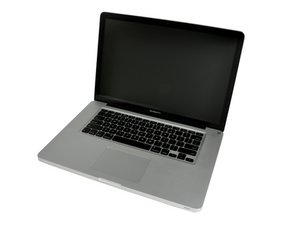
MacBook Pro 15" Unibody Mid 2012 Display Image

Guide

MacBook Pro 15" Unibody Mid 2012 Display Replacement

Difficulty:

Difficult

30 minutes - 2 hours

iFixit Image

Guide

Adding images to an existing question

Difficulty:

Very easy

2 - 5 minutes

Was this answer helpful?

Score 1

2 Comments:

Thanks, I added images

by

@Noah Cain - I was hoping we had some damage that could explain things - we look good here! None present.

by

Add a comment

Add your answer

Noah Cain will be eternally grateful.
View Statistics:

Past 24 Hours: 1

Past 7 Days: 1

Past 30 Days: 2

All Time: 73
