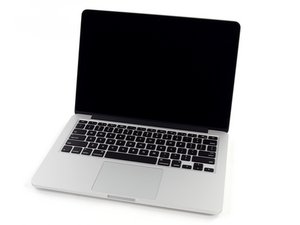

New SSD is not being read - cannot boot from it
Hey all,
I have recently brought a broken Macbook Pro 13” Mid-2014, it came with a cracked screen and missing SSD, the screen I replaced. I have also brought a Crucial CT500P1SSD8 (basically a 500GB NVMe M.2 SSD) along side the right adaptor for the connector.
I have tried to install OS X High Sierra via a bootable USB but it didnt work, whats more, because the SSD inside the laptop (i shall refer to this as internal storage) is not seen in the disk utility, I had to install the laptops original OS which is OS X Mavericks (10.9.5) and because of this I cannot get the laptop to see my SSD.
My question is can anyone help in how to install OS X High Sierra or Mojave without the need to get an apple SSD (which is £ 200+). I know that the laptop needed to be on High Sierra before removing the old SSD but the old owner didnt upgrade I guess.
The simple layout of what I tried to say:
- Brought laptop
- Installed new SSD but wasn’t recognised
- Installed OS X Mavericks (what the CMD+R allowed me to)
- Still couldn’t read the SSD
- Tried to upgrade OS to High Sierra and Mojave but didn’t work (got error: ‘missing firmware partition’)
Things I’ve done to try and fix this issue:
- Tried multiple resets
- Tried using various bootable drives but they are very hard to create and I feel like i kept messing it up every time I made one
- Inserted the SSD into a desktop PC to make sure it wasn’t dead - it wasn’t.
- Tried talking to apple (they said i need a third party company to look at it and pay £ 100 for that service plus whatever it’ll cost them to fix it… decided not to do that)
- I’ve tried all the options online with virtual machines and terminal options…
If anyone out there had to upgrade SSD and didn’t update their software to High Sierra please tell me how you did it. I’ve been struggling with this issue for 3 days now and I cannot get my head around it.
Is this a good question?

 3.7k
3.7k  1.1k
1.1k  2.6k
2.6k 