
Free Shipping on Domestic Orders $75+

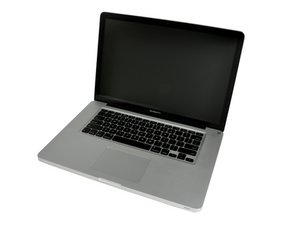
Released June 2012 / Core i7 processor with Turbo Boost / Up to 1 GB GDDR5 Video RAM

Can't see Ext. HD with Sierra in Startup Disk options.

Hi there.

I think this is the model of my MacBook Pro, these are the specs I found - 15”, 2.3 Ghz processor, mid 2012 with Intel Core i7.

I’m no techo so it’s gibberish to me. I still have OS 10.8.5 on my internal hard drive because I still use Compressor and DVD Studio Pro, and have a few Garageband tracks I wish to keep.

However, I downloaded Yosemite 10.10.5 onto an external hard drive and have been booting up on that for the last 3 years. So I downloaded Sierra onto another external hard drive thinking I could do the same thing. (I want Sierra so I can update my Premier Pro version). It appears on my desktop as an external drive but when I go to Startup Disk, it doesn’t appear as an option.

Is there something technical that prevents me from doing this? (Yes, I might be a bit behind the times but will hopefully be up-grading at year’s end).

Any help will be appreciated.

Answer this question I have this problem too

Is this a good question?

Score 0
Add a comment

1 Answer

Most Helpful Answer

Apple upgraded the file system in High Sierra on SSD drives (APFS). I'm suspecting your system's installed OS (HFS+) can't see it as it does not know how to access the newer file system.

Was this answer helpful?

Score 2

2 Comments:

Thanks for replying Dan. Does that mean they did that upgrade for Sierra, which I believe was prior to High Sierra? And just so that I can move at least a little bit forward, would I have the same issue if I downloaded El Capitan? Thanks for your help.

by

◆ Sierra still uses HFS+ and only HFS+ file system

◆ High Sierra allows access to either HFS or the new APFS file system.

Using Sierra or older OS-X or MacOS's won't allow you to access APFS file system based drive. The issue is the systems EFI (BIOS) firmware which is also updated when you install the newer MacOS's. But even still that won't let you boot up under the older OS's and gain access to APFS based drives.

by

Add a comment

Add your answer

Maurice Todman will be eternally grateful.
View Statistics:

Past 24 Hours: 0

Past 7 Days: 1

Past 30 Days: 5

All Time: 61
