
Free Shipping on Domestic Orders $75+

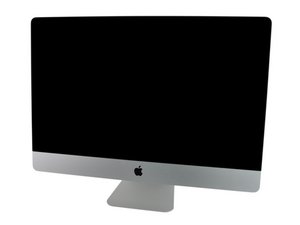
Model A1312 / Mid 2010 / 3.2 GHz Core i3 or 2.8 & 3.6 GHz Core i5 or 2.93 GHz Core i7, ID iMac11,3

I can't get my iMac to go into recovery mode

Hello,

I recently installed a new hard drive into my iMac computer. This is an older model, believe its a 2011.

I am using a Corsair K95 keyboard, and everytime I try to power on the mac it goes white screen then a grey folder appears with a ? inside. I have tried using Alt, control, and windows key, with combination of the “R” key.

No clue why this isn’t working, any suggestions would be amazing.

Answered! View the answer I have this problem too

Is this a good question?

Score 0
Add a comment

1 Answer

Chosen Solution

The drive needs to be formatted and a system put on it. You will also need an OWC thermal sensor to prevent facing fan. To give you more specific information we need to know what it actually is. Look on the bottom of the stand for that information. Right now I don’t even know what size it is.

Here’s guide on the 2011 21.5”

iMac Intel 21.5" EMC 2428 Hard Drive Replacement

Was this answer helpful?

Score 3

2 Comments:

Thanks ! Pretty sure you actually answered my other question ! So I did in fact buy and install the owc thermal sensor. This is a 27" Mid 2010 Imac. How can I format the harddrive? Can I do it with it still inside the imac?

Currently no key combos are working, like alt R or ctrl R

Thanks again !

by

I ended up buying an OEM harddrive just not an apple one.

by

Add a comment

Add your answer

Brandon Tirre will be eternally grateful.
View Statistics:

Past 24 Hours: 0

Past 7 Days: 1

Past 30 Days: 5

All Time: 173