
Free Shipping on Domestic Orders $75+

2.2 GHz (Turbo Boost up to 3.4 GHz) or 2.5 GHz (Turbo Boost up to 3.7 GHz) quad-core Intel Core i7 processor with 6MB shared L3 cache.

WiFi doesn't work, even after resets, config deletion, board replace.

Hi! My mid 2014 Macbook wiFi isn’t working, it used to work fine for some time, but then suddenly stopped working. It shows “Error no hardware installed”

I have tried every possible reset (NVRAM, PRAM, SMC), macOS reinstall, network config reset. I even ordered replacement part for Airport board and changed and nothing helped.

Hardware test results in error CNW001

Once in few months it randomly starts to work fine for 1 hour, usually if I haven’t touched my Macbook for a long time, then wifi disappears after an hour and never comes back.

Now after reinstalling Macbook, it doesn’t even recognise wifi hardware, and it doesn’t even show the wifi logo at top, nothing.

Some questions to get things more clear:

  • Is there any other hardware part that can be replaced, because i’ve tried the airport board and no success?
  • Also does faulty airport board should disable bluetooth? Because Bluetooth is always working fine for me.
  • Does faulty wifi antenna can completely disable wifi?
  • Is the cable near airport board (IO cable) related to wifi on 2014 mbp? (I know on mbp 2012 it was an issue related to wifi)
Answered! View the answer I have this problem too

Is this a good question?

Score 0
Add a comment

1 Answer

Chosen Solution

You’ll need to try to reseat the I/O board cable or replace it. Here’s the part you’ll need MacBook Pro 15" Retina (Late 2013-Mid 2014) I/O Board Cable and here’s the IFIXIT guide you’ll need to follow MacBook Pro 15" Retina Display Mid 2014 IO Board Cable Replacement

This repair is contra-intuitive! The issue is the I/O board interconnects with the AirPort adapter for the bluetooth signal which is also the source for its power.

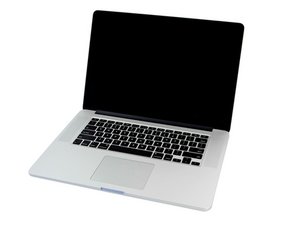
Replace an I/O Board Cable compatible with the Late 2013 to Mid 2014 MacBook Pro 15" Retina laptop. Fix the connection between the I/O Board and the logic board. Image

Product

MacBook Pro 15" Retina (Late 2013-Mid 2014) I/O Board Cable

$9.99

Was this answer helpful?

Score 3

4 Comments:

Is it related to wifi? Also you mentioned BT, but it works fine for me. Thanks, I will try this repair (guess I don't have any other option left) and post results once I've done it!

by

Hi! I've changed the I/O cable, but no success! Macbook Hardware test (boot + D) also shows same wifi error.

by

Hi! It worked! I just waited a day, turned on my Mac, and WiFi is now working! Thanks, I've tried everything, this was the actual fix! :)

by

Happy to hear it worked out.

by

Add a comment

Add your answer

Dave Mich will be eternally grateful.
View Statistics:

Past 24 Hours: 0

Past 7 Days: 2

Past 30 Days: 12

All Time: 8,154
