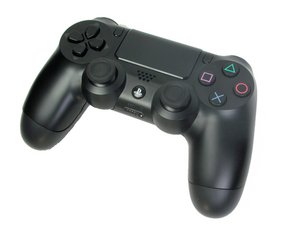
Why does my controller not charge?
My controller will not charge. Sometimes if you get it just right it will charge for about 4 seconds and then turn back off. What should I do?
Is this a good question?
Score
0

Rep: 481
 10
10
 3
3
 1
1
My controller will not charge. Sometimes if you get it just right it will charge for about 4 seconds and then turn back off. What should I do?
Is this a good question?

Rep: 27.8k
113
58
64
It may just be a battery issue. You can replace the battery with the part below. I also provided a guide on how to replace the battery.
DualShock 4 (CUH-ZCT1U) Battery Replacement
DualShock 4 (JDM-030 and Earlier) Controller Battery
Here’s how you can replace your charge port, if necescery. Choose the right charge port for your model controller
DualShock 4 Charging Port Replacement

Product
$8.99

Product
$5.99

Product
$14.99

Guide
Difficulty:
Moderate
—
15 - 30 minutes

Guide
Difficulty:
Moderate
—
25 - 40 minutes
Was this answer helpful?
Hi @ajcooke01 ,
Not disagreeing with you but the OP states "Sometimes if you get it just right it will charge for about 4 seconds". I'm wondering if the "....get it just right..." relates to the USB cable connection and perhaps it may be a loose or damaged port.
Your thoughts? ;-)
I haven't had time to get around to fixing it but I am going to this weekend. That could be a possibility as well. If you have a link to a guide that might help me with that it would be much appreciated!
Past 24 Hours: 1
Past 7 Days: 6
Past 30 Days: 17
All Time: 197
