
1.8GHz dual-core Intel Core i5 or dual-core 2.0GHz i7. (Turbo Boost up to 2.8GHz) with 3MB shared L3 cache

Garbled display, replace LCD or something else?

Block Image

Screen is garbled on my MacBook Air (I7 2.0 1466). Connecting to an external monitor works perfect, laptop works perfect otherwise. Is this just in need of an LCD swap, or could there be something else to check first? Does ifixit have an LCD only available, or only the entire lid?

Answer this question I have this problem too

Is this a good question?

Score 0
Add a comment

1 Answer

Most Helpful Answer

Looks like the LCD panel got a wack. Did you have something heavy sit on it or bang it.

Yes you’ll need to replace the lid assembly following this IFIXIT guide: MacBook Air 13" Mid 2012 Display Assembly Replacement and here’s the needed part: MacBook Air 13" (Mid 2012) Display Assembly

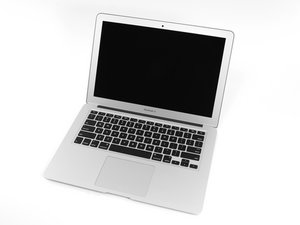
Replace a display compatible with the model A1466 Mid 2012 13" MacBook Air. Features a 1440 x 900 LCD 13.3" screen. Part #661-6630. Image

Product

MacBook Air 13" (Mid 2012) Display Assembly

$164.99

Was this answer helpful?

Score 3
Add a comment

Add your answer

jwisemanhome will be eternally grateful.
View Statistics:

Past 24 Hours: 0

Past 7 Days: 0

Past 30 Days: 3

All Time: 85
