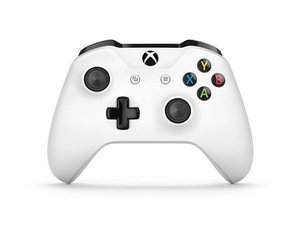
Xbox One controller was introduced in 2016 with the launch of the Xbox One S and adds Bluetooth support for Windows 10/11. This controller fixes many of the design flaws found on the Model 1537/1697 controllers and is much more reliable. This controller has been replaced with the improved Model 1914 controller.

Why won't my controller connect wirelessly to my laptop?

Whenever I try to connect my controller to my PC, I turn on my PC Bluetooth and my controller Bluetooth, but when I click add a device and Xbox controller, the controller never shows up. Does anybody have any ideas?

My computer is running Windows 10 Professional if that helps.

Answer this question I have this problem too

Is this a good question?

Score 0
Add a comment

1 Answer

Most Helpful Answer

You need to install this first.

https://www.microsoft.com/accessories/en...

In case the link doesn't work, look up "xbox 360 accessories software" and download only from the official Microsoft website.

Was this answer helpful?

Score 2

1 Comment:

I already installed Xbox accessories and updated the controller to the latest software, it just doesn't appear in the devices list.

by

Add a comment

Add your answer

The Iron Pick will be eternally grateful.
View Statistics:

Past 24 Hours: 0

Past 7 Days: 2

Past 30 Days: 4

All Time: 518
