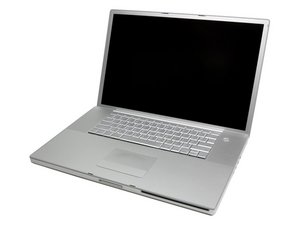

LED replacement screen problem

I have a MacBook Pro A1151. I was getting horizontal lines in the bottom half of the screen. The local mac repair folks said that it was not the video cable but the led screen that needed replacement. Apparently they tested it with a working screen. I purchased a replacement screen and when I turn on the laptop, I get light but no screen picture. I replaced the video cable (from i-fixit) and still get the same thing. When I use my old screen, I can get the desktop if I use a monitor. When I use a monitor with the new screen, I only get the generic OS X.6 picture of the galaxy on the monitor and cannot use the computer. I have taken the screen out a few times and get the same results. Any ideas?

Answer this question I have this problem too

Is this a good question?

Score -1
Add a comment

1 Answer

Most Helpful Answer

You assumed that the local mac folks tested it. Did YOU see it working? Call them back and ask how they arrived at their diagnosis.

Let's start over on the diagnostics. Hook up your external monitor and an external keyboard. If the problem is isolated to the screen your computer should work. If you cannot use the computer your problems run deeper. Start up from your original installation disk holding the "D" key down and run diagnostics - (this is using the external monitor and keyboard). Your video processor is the Radeon so i's not the Nvidia issue.

Was this answer helpful?

Score 1

1 Comment:

Thank you for your input. The local mac guys said that they used a different video cable and got the same problem and decided that the lcd screen was bad and needed replaced. The computer does, in fact, work with an external video monitor. I have replaced the video cable. The screen that I initially purchased has been returned. It would not show the desk top on the external screen. At present, the old screen will light up but not show the desktop that is shown on the external monitor. Unfortunately, I think that I damaged the original screen in removing it from the bezel as it no longer shows any of the desktop. Should I try a new screen?

by

Add a comment

Add your answer

db531 will be eternally grateful.
View Statistics:

Past 24 Hours: 0

Past 7 Days: 0

Past 30 Days: 4

All Time: 1,417