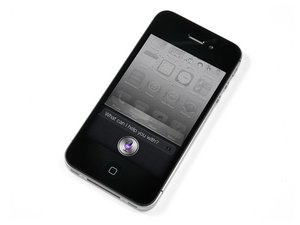

Will not restore, error code 4013.
Tried to restore iphone 4s but keeps showing error 4013, any ideas? :)
Best regards Tom.
Is this a good question?
Score
44
Rep: 657
 5
5
 6
6
 1
1
Tried to restore iphone 4s but keeps showing error 4013, any ideas? :)
Best regards Tom.
Is this a good question?
Rep: 163
2
1
2
hello my all friend i have same problem on my iphone 5s itune restore error 4013 after i change the u2 charging ic is fix. try it
Was this answer helpful?
After u change what?? U2
Here is a step by step tutorial on how to fix it: http://goo.gl/fa87Iv
Awesome, worked for me! Almost resigned myself to buying a new phone - is it a underhanded way of getting you to buy new???
works really fine! thank you!!!
You did what to fix it?
Rep: 241
1
1
1
I figured out how to fix this - this worked for both my and my friend's iPhones.
1. Connect to iTunes in recovery mode, start recovery.
2. When you see the "Spinning wheel" on iPhone's screen - EJECT THE CABLE IMMEDIATELY.
Wait for 10 seconds
3. Reinsert the cable - the restoration process will begin.
Looks like Apple has a faulty algorithm that marks some iPhones as damaged even if they are not(or they simply want you to buy more new devices :)).
Was this answer helpful?
Awesome...this worked for me. Thank you
everytime i do this it turns right back off
the bar would come up then turn right off after 5 secs
your problem is a battery then @peeweeabc
some problem , it works thank you so mach
Rep: 85
1
full open the phone connect only battery and charging strip and restore 100% working
Was this answer helpful?
This is Working for me in my IP5C. Remove the lcd completely and itunes restore and upgrade smoothly without error. I guess iphone does not recognize new lcd (original broke, so i change another lcd).
Just to add to this related comment - For 5s/5se models when you remove the screen make sure the "HOME BUTTON" is still connected to the phone. Also connect a genuine Apple lead to your system directly "NOT" via extensions leads/USB hubs/front USB ports on desktops etc... And all software is uptodate inc. whichever OS you're using MAC or Windows.
This worked perfectly for me!
YES YES YES
IPHONE XR -ERROR 4013 SOLVED
Remove the lcd / SCREEN completely
RESTORE and UPGRADE WITH ITUNES
NO ERROR MESSAGES
SOMETIMES IPHONES do NOT recognize new(NON APPLE ORIGINAL) LCD SCREENS OR BATTERIES
Rep: 337
4
3
When I had this error in the past it was with a NAND error (FlashMediaAndKeepout.............. PROVIDER <PTR....) It was the SCREEN.
Was this answer helpful?
This is correct. If you have a non authentic screen it may be detected preventing a restore.
Simply put your phone into recovery mode with iTunes prepared to start, then disconnect the screen. Once it is fully disconnected and removed, start the restore and you are good to go.
Rep: 3.6k
10
10
3
Hey Tom,
This is a solution to your problem:
http://support.apple.com/kb/TS5314
Tell me how it goes.
Hope it helped. Have a nice day!
Was this answer helpful?
Yes this is what I needed someone to google the error and give a link. Haven’t thought of that
And those solutions don’t work
Apple support is useless after warranty expires.
lol we can tell your a apple rep there's a reason people go to other places to get theyre phones fixed
YES YES YES
IPHONE XR -ERROR 4013 SOLVED
Remove the lcd / SCREEN completely
RESTORE and UPGRADE WITH ITUNES
NO ERROR MESSAGES
SOMETIMES IPHONES do NOT recognize new(NON APPLE ORIGINAL) LCD SCREENS OR BATTERIES
Rep: 160.6k
11
205
371
4013 on 4s is usually the nand flash or baseband chip gone bad. Not worth fixing a 4s these days when it comes to those issues.
Was this answer helpful?
Rep: 25
1
I had this exact problem on my iPhone 5c. Error 4001 when I tried to restore and error 4013 when I tried to update. After some quick google searching, I then REMOVED THE SCREEN and tried the process again.
100% working now. It's apparently an LCD issue.. usually caused by a faulty Proximity Sensor.
Was this answer helpful?
I did this on my 4S but no help . My phone is stuck in recovery mode so i tried dr.fone by wondershare it did took it out but then it was in boot loop so i tried restoring with itunes it gave an 4013 error should i check the battery and wifi antena plug ?
Just to add to this related comment - For 5s/5se models when you remove the screen make sure the "HOME BUTTON" is still connected to the phone. Also connect a genuine Apple lead to your system directly "NOT" via extensions leads/USB hubs/front USB ports on desktops etc... And all software is uptodate inc. whichever OS you're using MAC or Windows.
This worked perfectly for me!
YES YES YES
IPHONE XR -ERROR 4013 SOLVED
Remove the lcd / SCREEN completely
RESTORE and UPGRADE WITH ITUNES
NO ERROR MESSAGES
SOMETIMES IPHONES do NOT recognize new(NON APPLE ORIGINAL) LCD SCREENS OR BATTERIES
How much time does it take.to remove the screen?
Rep: 1.9k
8
5
2
Solution 1: Reboot your iPhone
Solution 2: Check Out the Faulty Cable/Port
Solution 3: Is Wi-Fi Network Working Properly?
Solution 4: Clean Up Your iPhone
Solution 5: Restart Your Computer, Reset Your iPhone....
You can click the tutorials for detailed information: How to Fix Error 9, 4005, 4013 or 4014 in iTunes/3uTools?
Was this answer helpful?
ey dumb u cant check wifi if working if ur phone is &&^&@@ up
YES YES YES
IPHONE XR -ERROR 4013 SOLVED
Remove the lcd / SCREEN completely
RESTORE and UPGRADE WITH ITUNES
NO ERROR MESSAGES
SOMETIMES IPHONES do NOT recognize new(NON APPLE ORIGINAL) LCD SCREENS OR BATTERIES
Rep: 13
1
IF you have a MACBOOK it's tested just restore it in your MAC
Was this answer helpful?
Rep: 13
1
Repaired lots of iPhone 6 recently and error 4013 is being caused by a faulty front camera ribbon- there's a few components on the one ribbon. Replace it and problem solved or if your stuck disconnect it and reboot the handset, it'll boot up again. Then reconnect it whilst the handsets on and it'll stay on but if it does happen to power of it won't boot up again as it's picking up the faulty ribbon on its boot check. So replace it when you can!
Was this answer helpful?
tried the same but not working. again tried disconnecting all 4 sockets of display panel but not working for me.
Amazing. You saved the day. Transplanted a front camera fixed issue!!!!
Rep: 13
1
Had replaced my 6s plus screen and disconnected the screen and worked like a charm
Was this answer helpful?
This is correct. If you have a non authentic screen it may be detected preventing a restore.
Simply put your phone into recovery mode with iTunes prepared to start, then disconnect the screen. Once it is fully disconnected and removed, start the restore and you are good to go.
Rep: 1
1
This method worked for me http://feedstech.com/5-ways-fix-itunes-e...
Was this answer helpful?
Rep: 11
5
2
I would say disconnect the the last cable to iPhone logic board and try again!! Or if you have a old 4s screen try it but don't hook up last cable and see if that fixes it
Was this answer helpful?
Error 4013 I due to security software issues . uninstall ITUNE your computer completely restert your computer and reinstall the iTune latest version try again your iPhone restoring ...,...same problems iPhone 5 5s iTunes error 4013 is hardware change the charging connected ic and compass ic is fix .and try it I am from pk
Was this answer helpful?
Rep: 1
1
I found a solution that worked for me. Tested with iPhone 5 GSM. Here's the fix http://bit.ly/1P3yQDM
Was this answer helpful?
I have an iPhone 5c that worked well But it did not work network constantly to pen that is looking for , and last night I went to reset to factory settings and has failed , threw me a mistake 4013th
Did he know who the problem , I put a new screen and new battery
I have an iPhone 5c which had not worked networks , and last night I went to reboot I got stuck at half load, I threw the error 4013 , was helpful before and everything was working normally
Network did not work , constantly it says that asks , I was trying to do over the item But in vain ,
And he put a new screen , home button and battery
Was this answer helpful?
1: try change battery and charging port to a new one,
2: try put on a new or secind hand screen,
3 try another cord:
4: make sure itunes is the newest version
Was this answer helpful?
Error 1405,4005 on iPhone 6,6 plus.
Complete solution follow the steps bellow _
Remove the Top metal plate of charger and battery connectors,
Connect the phone with itunes and start restore for restoring.
For this step you need to have a heat gun low down the heat to 160 and make the air to high presser start heating up the battery and charger port connectors warm up.
when the phone goes off wait for a while and when you see the restoring precess give it more heat for a few minutes,Then release the heat Gun and see the magic.
100% solution.
Was this answer helpful?
I solved my problem not with your solution but it cost 100 euro you reply too late but np thank you :)
This may or may not be useful to those having issues: I have an iPhone 6s, and got the dreaded 4013 error. Tried many things--restarting phone, computer, etc., reconnecting cords to different ports, disconnecting them at pivotal moments. The last thing I thought to try was to take the phone out of its battery case (which I got fairly recently). That did it--made all the difference. Update went smoothly after that. This may not be the same thing plaguing others, but it definitely made it work for me.
Was this answer helpful?
I tried almost everything recently to fix error 4013 on my iPhone 6 but had no luck. I saw a comment saying that it is somehow related to the front camera and proximity sensor ribbon cable, so I changed it, and guess what... it works just like a new one, without any problems thank you all for your help!
Was this answer helpful?
Past 24 Hours: 2
Past 7 Days: 9
Past 30 Days: 26
All Time: 275,625
















5 Comments
you add code for me now
by phannithmobie
i have iphon 6 plus .this device prablem is 4013 itunes error how to trubleshoot please guide me
by Sharath kumar
1. Restart your iPhone
2. Check the USB cable
3. Change the port to connect the cable
4. Update your iTunes to the latest version
5. After backup, reset all settings
6. Send to Apple for repair
7. Refer to other repair methods
https://cutt.ly/xrQtck1
by Rose
IPHONE XR -ERROR 4013 SOLVED
Remove the lcd / SCREEN completely
RESTORE and UPGRADE WITH ITUNES
NO ERROR MESSAGES
SOMETIMES IPHONES do NOT recognize new(NON APPLE ORIGINAL) LCD SCREENS OR BATTERIES
by divine70
well... as this is a general fault code, many things might be happening. Every solution found here might fix this problem. From simply updating iTunes till a possible fall on the board. My latest case involved the battery. Battery seems to be faulty so I ve got error 4013. Replaced the battery with an old one (health 72%) and bam! Restore complete. You ll have to try all solutions that you can do on your own, an hopefully the iPhone will live again
by Messer