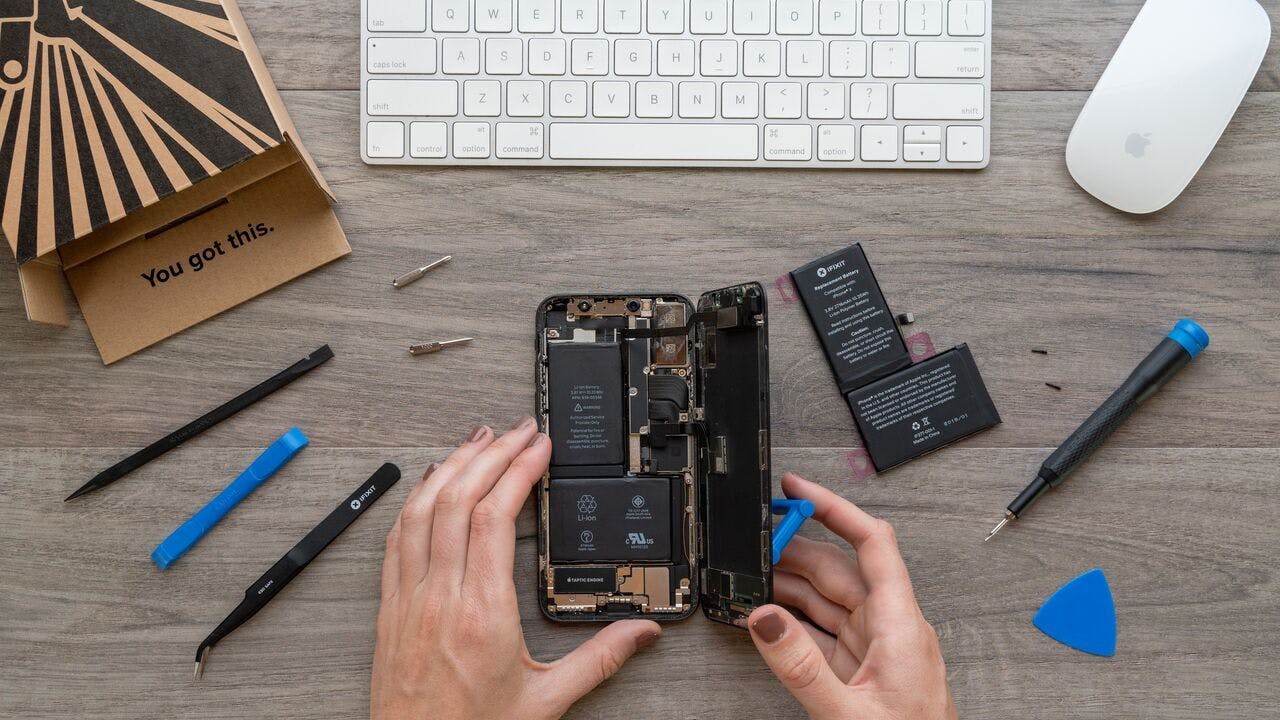
Click Image To Zoom


iPhone 3GS Replacement Battery

$19.95

Product code: IF142-005-1

Product Overview

Everything you need to replace your iPhone's battery.

  • Battery life not what it used to be? That doesn't mean it's time to get a new phone. Just replace the battery and breathe new life into your daily companion.
  • Comes with all of the tools you need for the repair, at no extra cost.

Kit Contents:

  • New 1219 mAh Replacement Battery
  • Small Phillips #00 Screwdriver - used for internal and external screws
  • Plastic Opening Tool - safely disconnect cables and pry out the battery
  • Small Suction Cup - lift up the screen to get inside

Compatibility

Identify your iPhone

  • All 3GS iPhones

Product Details

  • Model #: 616-0431, 616-0432, 616-0433, 616-0434, or 616-0435

  $19.95


Condition:

New

Warranty:

6 month warranty

Notes:

Does not work with the iPhone 3G. If you need a battery for the iPhone 3G, you can find it here.

Add to Cart »

50+ Available

Quantity:


Product Details Edit

Block Image

The 3GS battery is rated to last about 500 cycles. If you start each day with a fully charged phone and run it down to 0 each night, the battery will be below 80% effectiveness in less than two years. Luckily for all of us, Apple comes out with a brand new phone every two years! How considerate.

If for some reason you're happy with what you got, this simple replacement will keep your iPhone 3GS running for another two years at least.


Compatibility

iPhone 3GS
16 GB
32 GB
8 GB
 

Stories

My Problem

Random reboots. Replaced battery with a Chinese replacement battery but the reboots continued. iFixit battery solved all the issues.

My Fix

Easy to open the device. There are good and easy YouTube instructions how to do so. I prefer videos than pictures.

My Advice

-

gonzaoviedo's Story Photo #255197
gonzaoviedo's Story Photo #255199
gonzaoviedo's Story Photo #255198

My Problem

screen broken and rear case with too much miles.

The on/off button doesn't work and there was no volume up/down button

Oh! And the battery was almost dead :)

My Fix

excellent!

Thanks to the guide, i had no trouble to make it work.

My Advice

stick to the guide ;)

sombrazur's Story Photo #254127

My Problem

As for many users, my 3GS ran out of battery too easily and often, and I was fed up by Apple's repair costs...

My Fix

I was worrying about such an operation, but following carefully your guide step by step, I didn't encounter any serious issue. Just kept my cats from jumping over the table where all these small parts where lying ;-)

My Advice

Take it slowly, and try to avoid any disturbance. It's so easy to break a small part, or to forget connecting something...

My Problem

I' ve always repaired everything by myself. Couldn't be different with iPhone.

My Fix

Iphone 3GS camera connector is not so gently!

But the process ran smoothly.

My Advice

Go ahead to fix your problems!!!

rmm200's Story Photo #248144

My Problem

IPhone 3GS battery expanded like a balloon. Pulled five of the six metal inserts out of the back cover, bent the circuit board, popped the screen off. Phone sure looked like toast...

IFixit battery was not the cheapest - but I was sure I would get a good one that worked in my phone.

My Fix

Took several hours. Hardest part was pressing in / super gluing those back panel inserts. IFixit video / guide was invaluable.

My Advice

In my case, the $20 gamble on fixing a "destroyed" phone was certainly worth it. The 3GS is perfect now, and my daughter is delighted with her "new" phone.

Tip: Don't let your son disassemble the phone for you if you are the one that has to reassemble it.

My Problem

I have two iPhone 3GS with a broken screen and a battery that drains almost instantly after a full charge. Decided to give it a try fixing after watching some videos on the site.

My Fix

It didn't go as smoothly as compared to the video - but was able to find a way to put things back in order.

My Advice

The replacement battery that I've got will not fix easily on the sides as compared to the original battery. It will not align properly and is slanted so I spent sometime figuring out how to make it align to the sides. But to no avail. I left it at a slanted position but was glad that it worked.

Just hope that the parts are the same as the original. Easy to fix back and will not give you trouble.

My Problem

Re-activated my old 3gs for my wife. The charge was not lasting very long and it would reboot randomly. Decided to try to replace it myself. After doing research online about other cheaper batteries, i decided to go with ifixit.

My Fix

The install went just as the steps on ifixit said it would go. Dialogue between my wife and I during the repair...

Wife: "I know you love me."

Me: "Why is that?"

Wife: "Because you are replacing the battery in my iPhone."

Thanks ifixit for helping me save money and gain points with my wife!!!

My Advice

The hair dryer to to release the old battery really helps!

The instructions for removal for cable #3 were slightly confusing because it slides out and not "pops" off, but it all worked out in the end.

My Problem

After several years, the battery just would not hold electrons correctly anymore.

My Fix

Followed the step by step directions on this site and they are spot on. The notes on lifting connector 1 and the gold grounding are very important.

After a little struggle with the screw for the camera, the phone is fully operational with a full charge.

It was be very helpful if the screw drivers sold were magnetized to hold the screws while trying to get them back in the holes.

My Advice

I used a refrigerator magnet that is the shape of the iPhone and placed the screws I removed to ensure I put them back in the correct order.

My Problem

Poca duración de batería y botón de mute no funcionaba bien tras una caída

My Fix

La batería la cambie sin mucha dificultad según las indicaciones de ifixit. El botón también, pero sigue fallando.

My Advice

El botón es sin más el componente. Así qué no os servirá de nada cambiarlo si os falla. Yo ajuste las conexiones y tornillos del mute pero nada. Sigue fallando. El pedido vino con herramientas necesarias.

mark6's Story Photo #241895

My Problem

My iPhone 3G S has been one of the greatest phones I've ever owned. Each of my family members have one. Two of them recently started shutting off with no warning due to aging batteries. Take more than a couple of pictures? It dies. Facebook app for more than a minute? It dies. Battery percent below 75? It dies. TIME FOR A NEW BATTERY.

My Fix

Frankly, I was afraid to do the repair because I couldn't do without my iPhone for more than a few hours. If I screw up, I have to buy a new phone. Fortunately, my iPhone wasn't under warranty and my contract expired long ago (paying month to month is just as good.) When I finally couldn't stand it any longer, I attempted the repair. It was nerve racking the first time, but I was successful. I had to do it a few more times for other family members, and those went a LOT easier since I knew what to expect. I can now swap a battery in the 3G S in under 30 minutes. All, thanks to iFixIt's guide. So, a $20 battery or a $400 new iPhone 5? Hmm.... a no brainer.

My Advice

If you elect to swap the battery yourself, be sure to have a noise free, well lit and clean environment. Also, get the long black spudger from iFixIt. The short green one is not very useful for the battery swap. You need to see very well to do this. I required a pair of reading glasses as well just to make sure I could see it all (phone screws are small.) If you don't have a magnetic mat for screws, use a strip of scotch tape looped on itself with sticky side out and stick on a box top or piece of paper. Stick the screws in order on the tape and make sure no kids or pets are around to knock them around. I also found a hair dryer to be required on one of my phones since the battery was super stuck. The heat loosens the adhesive, but even then it requires firm, steady, slow pressure with the black spudger to pry it up. Be careful, and be patient. Removal of the old battery was by far the most time consuming aspect. At least 10 minutes to work it loose while not bending the case or damaging something delicate. Final thoughts - try your very best to not bend or damage the old battery upon removal. If your new battery is bad from the factory (sometimes it happens) you'll need to swap your old battery back while a replacement is sent. This happened to one of my phones. Boy was I GLAD I didn't damage the old one!