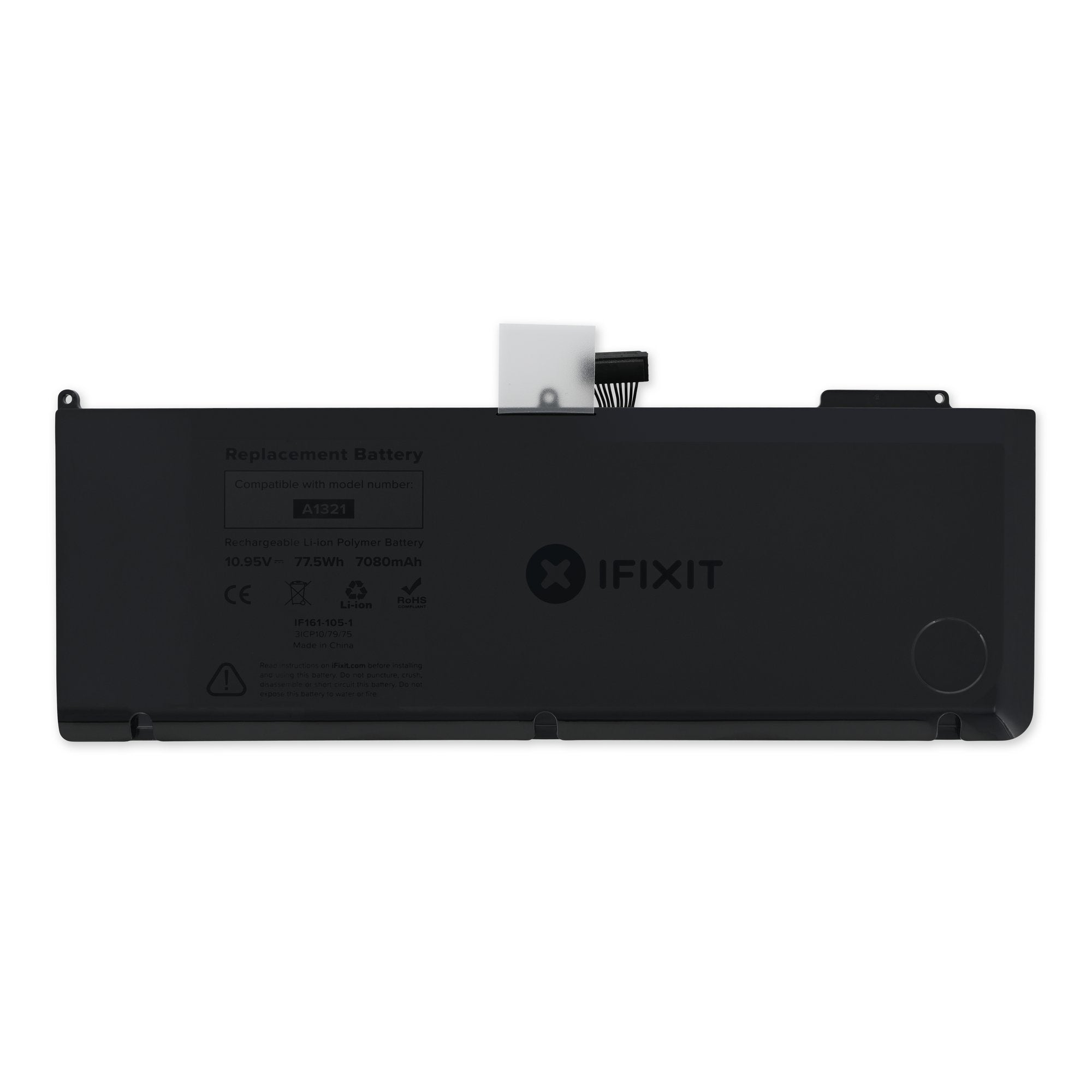
Click Image To Zoom
Customers also bought
Share this Product
Installation Guides
MacBook Pro 15" Unibody Mid 2009
Difficulty: Moderate
MacBook Pro 15" Unibody Mid 2010
Difficulty: Easy
Compatibility
| MacBook Pro 15" Unibody 2.53 GHz Mid 2009 |
| ||||
| MacBook Pro 15" Unibody Mid 2009 |
| ||||
| MacBook Pro 15" Unibody Mid 2010 |
|
Stories
My Problem
After 3+ years of faithful service, iStat had been reporting my battery life shrinking lately, and the power menu was telling me to "Service Battery Soon". Servicing with Apple meant at least a $200 bill.
Poor battery life when you're regularly stuck on a 2+ hour train commute is not fun.
My Fix
The battery and screwdriver came quick. I didn't know how long it would take, so I put it all aside to do that evening. Little did I know, no muss, no fuss, 15 minutes later and the new battery was in, working and performing gloriously (even better capacity than the original).
My Advice
If your laptop is out of warranty, save at least the $50 and just replace the battery yourself. It was easy and worth the time and effort. Swapping out memory and/or hard-drive also looked easy. Once you have the top open, everything is available.
My Problem
The battery was charging completely but only holding a charge for about an hour on my mid-2009 MacBook Pro. At the battery icon pull-down menu there was an alert to "Service Battery." I researched the battery on iFixit.com and ordered an "A Stock" unit. I followed the easy on-screen guides and within an hour of receiving the battery my MacBook Pro was operating normally. The replacement battery works great!
My Fix
Easy. Took less than 15 minutes to do.
My Advice
I would do as I did, research the battery, review the installation guides and make sure you have the correct tools to do the job.
If you do the above, you are virtually guaranteed a positive outcome. Beware, I suggest ordering your parts from iFixit.com, there are a lot of websites/vendor
My Problem
My old battery was nearing death. Couldn't hold a charge for more than 2 hours unplugged. Of course the Apple peoples wanted $150 for the battery and another $100 for labor since my MBP is far out of AppleCare coverage time. Plus, they wanted to keep it for 4-5 days. They of course strongly discourage do it yourself repairs. But with something this simple? Go for it.
My Fix
The repair is very simple and fast. If you can twist a screwdriver, you can do this one. I was done in under 10 minutes. The new batteries sold here on ifixit.com are great. They really are new, OEM batteries that show a zero cycle count right out of the box.
My Advice
Just go slow and get a small container to put the screws in while you are working. They are super tiny and will surely be lost forever if dropped. Also, use just enough pressure when loosening/tight
My Problem
My MacBooPro5,3 was giving the dreaded 'Service Battery' warning. The battery itself was only lasting about 30-45 minutes on a full charge.
My Fix
The repair was easy, just followed the guide. It really helped to have the specialized 5-Point Pentalobe screwdriver.
My Advice
When removing the connector from the battery to the motherboard just take your time, don't force it. It will come off, the connection is just tight. I used a thin bladed micro screwdriver to assist.
My Problem
Battery was low on power
My Fix
Went very well, thanks to also ordering the Pro Tech Toolkit. Without it, I wouldn't have had the "Star" drive to remove the battery. Thanks!
My Advice
Make sure you have the correct tools.
My Problem
I've always been a self-repair guy, however, this was the first time I had to replace a battery, so I figured I'd just head over to the local Mac Store and get it done by one of the Geniuses... ( service is normally pretty well over there )
However, this time one of them claimed he needed to keep my laptop ( which is my lifeblood ) for 5 days AT LEAST to repair the battery, on top of that it would cost 150 euros ( 203$ ). I spotted the "leadguy" hanging around and explained him that I couldn't possibly go a whole week without my laptop and he understood so he took me asside and sent me to this site...
The model I needed was sold out at the time, but my laptop still worked so it wasn't _really_ an issue, just kind of a pain in the !@# that my battery went from full to empty in about 45 minutes. I sent off a mail to iFixit's team and got a reply as soon as businesshours opened in the US ( As I'm from Europe it was to be expected that I wouldn't get a reply at 3am in the morning in the US :-) ).
It explained that the new load would arrive within a week and that there would be no issue sending it to Europe, so I waited a bit, made the order on Saturday, the battery was sent on monday ( again, no surprise there ) and got here by Wednesday 11 am, just before I had to head out to my day-job, I still had about 15 minutes so I tore open my mac...
My Fix
It was surprisingly easy, I've heard lots of horror-stories from people saying Mac's can't be repaired by us commoners, I've done some of the easy ones before, installing extra RAM in my iBook G4, upgrading my HD in this one ( 480 Gb SSD FTW ) but a battery-change was a first...
I only had 15 minutes after FedEx dropped it off before I had to go to work, so I figured I'd get everything ready for when I got home, but 5 minutes later the battery was installed and charging, so I left for work feeling great and anticipating my homecoming where my trusty mac would be waiting for me again :-D
My Advice
Do it yourself :-) Or order the parts and bring it over to me, if you have a nice ( Belgian ) beer with you, I'll do it for free :-D
I spotted some nice replacement-parts on iFixit in the mean time ( DVD-drive is busted as well, and I'm eyeing the HD-bay for that position as a 'dump-drive' for video & photo-footage ) so I'll be back for sure :-D
My Problem
Simple. My battery died. I've had my MacBook Pro over 4 years and the battery just gave out. I was well beyond my warranty, but attempted to call the Apple store and some local certified Apple technicians to inquiry on the cost...Here I'll save you some time. Just order the parts and do it yourself. The Apple store couldn't even tell me cost over the phone which is usually a bad sign. One place was $75 an hour and the other was $250. Nope.
My Fix
I'm completely computer illiterate, so as you can imagine I was nervous as !@#$! But I looked at other stories and practically studied the guide, which was seemed a little too easy, but in this case. Nope. It was easier! I made the swap, closed the case, said a little prayer, and the baby just booted right up! Yeah!
My Advice
Yes! Plan out your fix. Read some of the stories from others who made the repairs. Read the guide a few times, so you know what to expect. Don't drop your screws! And if you do, hope it stands out on the carpet. Whew! Also don't start touching stuff under the hood you don't know about. Just replace the battery and leave other stuff alone...maybe you can clean the case while its off though...dusty!
My Problem
the battery was at a weak state only holding about 4 hours of charge, only 1.5 when listening to music or watchin movies. i had it for almost 4 years and 1123 cycles later, it was about time to change the battery.
My Fix
the repair was fast and easy, easier than apple wants you to think. its as simple as removing screws and taking the flex cable out.
My Advice
make sure you dust out the area and do not touch the motherboard when removing the battery.
My Problem
I always enjoyed the freedom from the cables given by a long lasting battery: with little more than one hour of video playing, and much less than one hour of XCoding, I couldn't get very far from a plug. My freedom was in danger.
My Fix
It took more to remove the screws securing the lower case than actually replacing the battery: my little sister could have done it - as easy as playing with Lego.
My Advice
Make sure you have the right screwdriver for the battery: mine just looked like it could be small enough to fit. Actually, I had to use pliers and patience: no damage and more adrenaline.
My Problem
My MacBook Pro developed a grinding noise of the left fan.
Besides that my battery was expanding up to a point that my touchpad did not work properly anymore on 'click' functions.
After checking at my Apple shop, they told me that they had to send in the unit to a repair-centre and it would take multiple days to fix.
As I use my MacBook around the clock and is my primary work tool, this is unacceptable. This is why I decided to order the parts and do the repair myself.
My Fix
The repair was very straightforward
The exchange of the battery was a breeze too, thanks to the special torx I ordered.
My Advice
When you notice that your touchpad-click function is not working the way it used to, replace your battery as it is a sign of expanding.
Regularly clean-out the fans and radiators for dust-buildup, my suggestion is once a year.
Another enlightenment was the speed of delivery of the parts. I am living in the Netherlands, I ordered the parts wednesday-evening, friday-morning the Fedex-box was delivered. This really great!
Related Questions
| 2 Answers 0 Score | Replacement battery needed for installation |
| 6 Answers 0 Score | Mid 2009 A1286 Battery Upgrade |