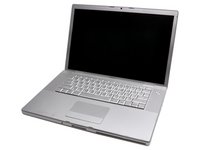
Click Image To Zoom
Installation Guide
MacBook Pro 15" Core 2 Duo Model A1211
Difficulty: Difficult
Required Tools Add All Tools to Cart »
Spudger
$2.95 ·Add to Cart »
T6 Torx Screwdriver
$4.95 ·Add to Cart »
Stories
My Problem
It's 2012 - 2 gigs of RAM just isnt enough. So I did the best I could and upped my computer to its max of 3 gigs.
My hard drive wasn't showing any signs of failure, but since I was doing some computer surgery, I figured it would be a good time to go from a 120 gig 5400 rpm to a 500 gig 7200 rpm hybrid drive.
My fans - well, they could be heard from down the street they became so noisy and inefficient.
My Fix
It took me about one hour to replace everything. With all of the tools I needed and the detailed guides, it couldn't have gone smoother!
My Advice
Repairs on a laptop - not so tough when you have detailed instructions on what you're looking to do!
My Problem
Right side of my laptop was making a loud noise after it had been on and warmed up. The local apple store wanted a few hundred dollars to fix this.
My Fix
The online guides were amazing. Step by step. I even managed to put it back together!
My Advice
Fix everything yourself.
My Problem
My computer sounded like a blender. The fan went out just because it was about 4 years old.
My Fix
The whole process took about 30 minutes from start to finish. It was much easier than expected, and the instructions were vey helpful and easy to follow.
My Advice
When I took the top casing off, I totally forgot that the instructions had just told me to do it gently. I ended up nearly ripping off the keyboard/mouse cable in my impatience over not being able to loosen the plastic fasteners in the front. Just try not to get so impatient, and remember this important instruction, and you'll be completely fine.
My Problem
Right fan was getting too noisy.
My Fix
Opened the MacBook, identified the problem, ordered the fan and changed it.
My Advice
If you happen to have a noisy macbook, check the fans.
My Problem
I have changed the noisy right fan of my macbook pro. Because my right fan was became very noisy, I had to change it.
My Fix
With the Ifix it tutorial it was very easy. No problem.
My Advice
Follow the tutorial carefully.
My Problem
The left fan was quite noisy, I did use the iFixit guide to access the fans and clean/oil them, but the noise came back, so I decided to change both of them.
My Fix
Thanks to the iFixit guides, it went smoothly, I took the opportunity to change the internal drive. It took about one hour. No problem at all.
My Advice
In this specific instance, the guide was quite all right. My only problem is that I printed it to put the screws on the pictures. Ialmost forgot to dust the disassembled Mac away from them...
