Announcement Manager
Overview
The announcement manager is an Administrative tool used to send a notification to everyone that views the site. When you post a new notification, it appears across the top of everybody's screen.
Posting a New Announcement
To post a new announcement, go to the Users tab on the Management Console, click on "Users" and select the "Announcements" tab. You'll see a page that looks like this:
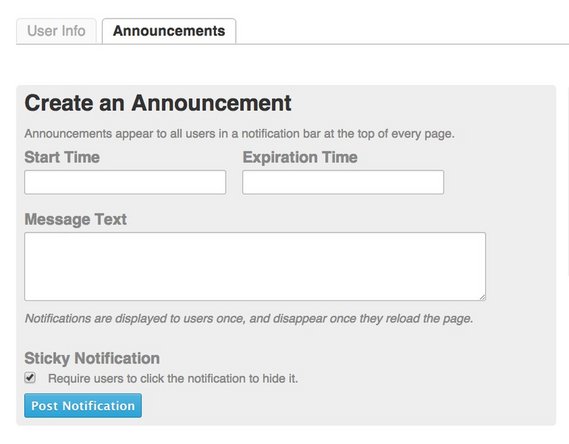
Click in the text boxes to input the time that you want the announcement to begin and end. Then enter the message that you want to appear across the top of viewers' screens. Remember, what you post as an announcement will be seen by everyone that views the site. This feature should generally be avoided unless it is for something extremely important that everyone needs to see, such as a time period when the site will be down.
Check the Sticky Notification box if you want to require users to click to close the notification.
Announcement Queue

All upcoming, current, and past announcements will show up on the right side of the page in the Announcement Queue box. To the right, you'll see an example of what that Queue box looks like. Any upcoming announcements can be edited or deleted from the queue.
Learn more about the different functions of the Management Console here.
Was this article helpful to you?
Didn't find the answer you were looking for?
Ask a QuestionYour vote has been recorded.
Tell us more. (optional)