Fan


|
2 Answers 0 Score |
Why do I get strange lines on screen on start up |
|
1 Answer 0 Score |
My keyboard does not light up, there is no option on the left cursor. |
|
1 Answer 1 Score |
When I connect the laptop to the power it does not power on or charge |
These are some common tools used to work on this device. You might not need every tool for every procedure.
Go to our troubleshooting page: Dell XPS M1210 Troubleshooting Page
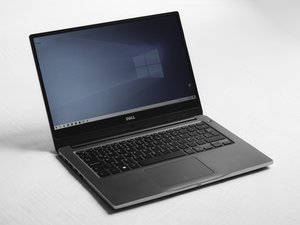
This laptop was first sold in 2006. The Dell XPS M1210 has a black lid with a silver brush frame and keyboard on the interior. The notebook also has a silver 1.3 megapixel rotating webcam. A unique feature that this Dell has is a group of multimedia keys located on the rim of the laptop just below the touch pad. Another feature is the blue back lighting for the keyboard and multimedia keys. The notebook also has multiple port holes like 4 USB ports, 2 headphone jacks, 5-in-1 memory card holder, a 1934 port, an S-video out connector, modem connector, and a VGA connector. It also has an optical drive bay for Hi-definition CD’s.
Manufacturer’s Product Support Page
Dell XPS M1210 Review and Specifications
Service Manual: Online | Zip Archive
Past 24 Hours: 1
Past 7 Days: 4
Past 30 Days: 6
All Time: 15,802