2
Score
Dorothy
25
Asked
Rows of keys not working since little water spill
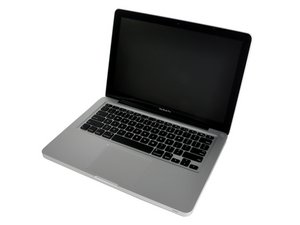
MacBook 13" Aluminum Unibody Late 2008 (A1278)
My coworker accidentally spilled about a bottle capful of water on to my Macbook keyboard. He immediately wiped it up and told me about it. About 5 minutes later, I realized my keys "a through l" and keys "z through ," weren't working. I shut down my computer, took out the battery, and let it sit open and upside down (like a tent) for the remainder of the day.
The next day I put everything back together and tried the keys again and they still didn't work. Everything else on the computer works fine except those 2 rows of keys.
I've been around a lot of forums trying to read up and find out what my next step should be but am not sure. I took the back piece off to reveal the logic board and dusted everything off - I didn't see any water or visible damage. A lot of people recommend completely taking apart the Macbook (eek!) and blow drying everything. I just need to know:
1. If the keys aren't working now, would they even work if I tried that?
2. If it doesn't work, what needs to be replaced? I hear some people replacing logic boards and others replacing keyboards. Are they connected to each other or separate pieces of the laptop?
Sorry if this sounds confusing, but I need to figure out what to do next because I'm really dreading going to Apple with this issue and paying a ridiculous amount for repair (especially if I might be able to handle this myself).
Thanks for any help!
Edited by: machead3, Account, and oldturkey03 ( ) , mayer ( ) , Dorothy ( )
4
Score
mayer
148.7k
Answered
Accepted Answer
If the keys aren't working after you've completely dried it out, and an external keyboard works and runs the machine, your keys have shorted out. Unfortunately this requires an upper case replacement and entails tearing the whole machine down. Here's the part needed: MacBook Pro 13" Unibody (Model A1278 Mid 2009/Mid 2010)... Labor costs will run about $200 normally as this is a difficult repair and it's very easy to damage the connectors on the logic board. Here's the guide on doing it: MacBook Pro 13" Unibody Mid 2009 Upper Case Replacement
So your total cost for repair is just under $500. Frankly I would have this done by a professional because if you pop a connector off the logic board, guess who has to pay for that repair?
MacBook Pro 13" Unibody (Model A1278 Mid 2009/Mid...
Case assembly includes backlit keyboard. — 5 available at 299.95 each.
I have a similar problem, but, I see on ebay some keyboards being sold (for around 35 USD), which is much cheaper than buying all the top case. Any reason for not buying just the keyboard, when this is the only part that is damaged?
home,
0
Score
Answered
My sister-in-law had the same problem...spill
RESOLVED:
Bought a keyboard (NO UPPER CASE) from ebay...when it arrived...I removed the bottom case and the logic board, speakers, cd drive, HDD and then the keyboard...(all 52 TINY screws on that keyboard)! It was a long process...about 1 hour...but for $30 USD...it was well worth it rather than 200 from Apple or other computer store. I am an IT so this was easy for me. It might be a bit of a challenge for non-technical people. BUT it is do-able!
GOOD LUCK!
@Dionisio, I can post the pictures for you or email them if you want. The process is fairly easy, it just takes a bit of time and patience since your dealing with delicate parts. Apparently iFixit has a guide that can get you to the keyboard here: http://www.ifixit.com/Guide/MacBook+Pro+... - stop at step 29. You will then see the black sheet on the keyboard. Remove the black bar and gently lift the black sheet and white sticky frame. this will reveal the keyboard and you will then see the tiny screws. Once you work all 52 (as I recall) of them out you can put the new one in. Then follow the iFixit guide in reverse to put it back together.
0
Score
dionisio
1
Answered
0
Score
Answered
I had the same problem. Home row of Latin-letter keys stopped working. I followed the instructions for the Upper Case replacement, but I went further and started to remove the keyboard from the case, as someone else had posted here.
I cleaned it out with a bit of distilled water and a cotton swab to scrub out any of the residue that was there. There was quite a bit of white residue there. I let it sit and dry for a few days, and put the whole thing back together.
It's been working great ever since.
Be sure to label your screws. You're going to have about 100 of them to track. Good luck.