
0

Score

Avatar
abdullah
1

Asked

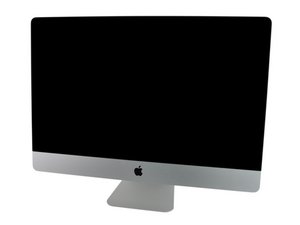
dusty iMac 27" LCD

History

i have dust inside the LCD

i removed the glass panel

tried to clean the LCD surface but the dust is inside the LCD

i need help to clean it .. ( it seems to be the dust is between the back LED and the LCD "film"

Edited by: Walter Galan ( )

Post Answer

1

Score

Avatar
Eric
13

Answered

PermalinkHistory

Oggy on MacRumors forums has documented the process and posted pictures in the thread: There is Hope for iMac 27" Display - Black Spots/Smudges/Dust in the display FIXED!

+ nice find on this problem

mayer,

Half of the battle is finding a dust free room to clean the screen panels. I strongly recommend getting a throw away surgeons gown, hair cap & mask and oil free gloves so you don't add any finger prints, lint, dust, hair or skin flakes.

Dan,

0

Score

Avatar
pierrej
757

Answered

PermalinkHistory

If the dust got between the layers in the LCD then i would recommend replacing the LCD completely as you would never be able to fully trust the LCD (overheating of other components, shorting out somethign while you are in there, etc). It should be a sealed unit and in my years of experience have never seen anything more then smoke get inside an LCD before. If still under warranty, bring it to Apple, you should be able to get it replaced. Don't mention that you took anything appart on your iMac though.

If you were serious about cleaning the LCD instead of replacing it (due to cost), the only assistance that anybody can be is to tell you to take it slow and do not use any liquids inside the LCD. There is no quide relating to this. Take pictures of your progress and reassemble carefully. With your pictures that you take, you can also make a guide for iFixit.

Add Your Answer
