1

Score

Avatar
QEII Student IT
3.5k

Asked

Mods for tiger?

History

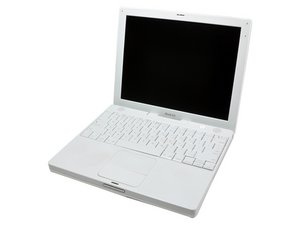
Due to having just 800Mhz of processor speed, I run my iBook G4 on Tiger, 10.4.11. I realise that tiger is starting to get old so I was hoping that people might be able to recommend some safe, free mods for Tiger to spruce it up a little. Even cool open-source software suggestions welcome.

Edited by

Post Answer

1

Score

Avatar
QEII Student IT
3.5k

Answered

Accepted Answer

PermalinkHistory

Thanks for all the replies, if anyone else has this question, here is a summary of the good answers:

Super Duper, Time Machine equivalent

Firefox, Safari equivalent

Virtua Desktops, Spaces equivalent

And for lots more click here

2

Score

Avatar
Lane
49

Answered

PermalinkHistory

I would recommend Super Duper for backups.

http://www.shirt-pocket.com/SuperDuper/SuperDuperDescript...

It'll add functionality like Time Machine to !0.4 and to be frank thats the biggest feature missing.

1

Score

Avatar
David Iwanicki
2.7k

Answered

PermalinkHistory

You could switch to Firefox for your browser, as Safari probably won't be updated further for Tiger. - http://www.mozilla.com/en-US/firefox/firefox.html

VirtueDesktops gives you Spaces functionality - http://www.macupdate.com/info.php/id/165...

Is there anything in particular you are looking for?

At the moment Safari 4 runs on Tiger, thanks for the spaces one. If there is anything that adds customizability that would be great. For example I have found TinkerTool which allows you to customize things such as having the dock at the top of the screen or having an eject button in the menu bar.

QEII Student IT,

1

Score

Avatar
Chris Green
13.6k

Answered

PermalinkHistory

you can try to do a non-native leopard installation, just put the hard drive in a mac that can install leopard, than install it, once it's done, you can put the drive in the ibook. leopard will boot regardless of the hardware, as long as it has enough ram. i did this on my 733Mhz G4, and leopard even reads the procesor speed, as 733Mhz, and it runs anyway. there are also tools that allow you to install it and bypass the specs. leopard is the last PowerPC-Compatible mac os, so there should be a lot of support for it in the future, compared to tiger.

But I don't want it to run really slowly

QEII Student IT,

it won't run slowly, the cpu is only 67Mhz slower than the leopard recomendation, it ran fine with my 733Mhz G4, and so, there is a good chance that it will be much faster.

Chris Green,

1

Score

Avatar
rj713
31k

Answered

PermalinkHistory

You might check out this site for software for older, slower Macs. Ralph

http://mac.oldapps.com/

1

Score

Avatar
afusz
37

Answered

PermalinkHistory

On the topic of non-native OS support. There is a tool out there that I remember reading about that will temporarily change the "processor speed" to make it compatible with leopard. I put that in quotes because it doesn't actually change it, but rather, it changes the cpu report in the NVRAM(? I believe), so that you may fool the Leopard OS disk into installing onto a Mac that runs slower than the 867mhz Leopard minimum. I cannot remember where I saw this tool, but I would recommend googling it and checking the Hackintosh forums.

Beyond that, max out the RAM, inquire about a HD upgrade, keep your login items to a minimum and clean the computer regularly.

Add Your Answer

