1
Score
QEII Student IT
3.5k
Asked
Can I put leopard onto a mac with less than the system requirements?
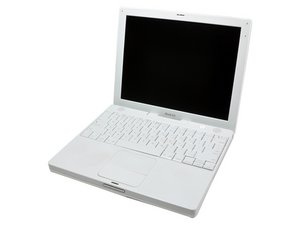
Hi, I have an iBook G4 800MHz, 256MB RAM, 12".
I am aware that the system requirements of leopard are higher than my iBook's capabilities and also I do not have a Leopard Install Disc, but I do have an eMac that runs a suitable version of leopard.
My question: Can I take an image (10.5.8) from my eMac and put it on my iBook (as specced above)?
2
Score
mister790
2.1k
Answered
Accepted Answer
I have the same machine, so you got me interested! Did some poking around and found one report of a successful install onto this machine -- using Firewire Target Mode. http://lowendmac.com/mail/0801mb/0128.ht...
However, this person's machine had 384mb of RAM. I'm guessing that even if you're able to install Leopard, 256mb of RAM may really limit its usability.
Thanks for answering, that's true but there's almost no visible difference in my opinion between 256 and 384.
Here's another report of someone successfully installing Leopard on a G4 iBook -- about three posts down: http://www.macosxhints.com/article.php?s...
Thanks, I think I will try this! I'll let you know if it works. (I have a tiger image ready if all goes wrong!)
Good luck! Very interested to hear how it goes. Particularly interested to hear how it feels in terms of speed. My assumption was always that an earlier OS would probably be faster on this machine, but some of the posters on the threads above seemed to think Leopard speeded up their iBooks. Can't wait to hear about your experiences!
1
Score
bac
5.1k
Answered
[edit] according to Mactracker, the 800MHz iBook G4 12" will run Mac OS X up to version 10.4.11
but generally speaking a disk image from one Mac may not work on another - at least that was the case I know with older versions of Mac OS as there were sometimes machine specific drivers installed. but I'm not certain if more recent OS versions like Leopard are more machine-independent. I guess the easy thing to try is to make an external clone of your eMac's disk and try booting your iBook from that external clone?
edit: to clone your hard drive, use SuperDuper (highly recommended) - or you could also use Carbon Copy Cloner
FWIW, I think Mactracker says that the 933 MHz iBook will work with Leopard, but Tiger is the max for the 800 MHz iBook. To clone a hard drive, plug in an external drive and use Carbon Copy Cloner or SuperDuper to copy the original drive to the external. Be sure to click whatever boxes need to be clicked to ensure it's a bootable clone. And make sure the external drive is formatted with the Apple Partition rather than the GUID option so it can be used with the iBook.
aha, sorry you're correct mister790, I didn't notice the 2 separate entries in Mactracker. so yes the 800MHz model can only run up to 10.4.11
bac,
1
Score
rab777hp
12.6k
Answered
I heard there was a trick where you moved around the resistors and overworked the processor and that got it fast enough to run 10.5
0
Score
QEII Student IT
3.5k
Answered
I tried it, and here's how it went.
I used Disk Utility to put the 10.5.8 image from my eMac onto my iBook, the iBook previously had 10.4.11, which ran moderately slowly. The image transfer took around four hours, but it worked. Despite being sub-system requirement, Leopard will run on a 800MHz, 256MB RAM 12" iBook. As far as I can see, it has even adapted to the change in screen size, trackpad as to mouse, battery etc. In fact, it is as if the image was designed for the iBook.
However, the bad news is it is very slow, Spaces and Time Machine etc mean that a lot of the processing power is being used even when idle. To demonstrate, here are a few comparisons of how long it takes to open applications from idle:
eMac: 3.02 seconds
iBook: 16.21 seconds
Garageband
eMac: 24.69 seconds
iBook: 46.67 seconds
Mactracker
eMac: 11.36 seconds
iBook: 31.58 seconds
I will enjoy having a portable version of my eMac, it's certainly more use to me than the tiger image it used to run. But, I might find myself waiting until I'm home at my eMac to do things than do them then and there on the iBook due to the agonising speeds. I'm considering buying more RAM but I'm wondering whether the amount I will use it and the actual increase of speed will justify the cost.
Why exactly do you want Leopard though on it? Especially since it works so slowly, wouldn't it be more efficient to just run tiger?
You would have a faster performance adding ram in this machine. 256 megs is really not enough to run leopard adequately.
Good question Chris Green! I have no idea! That is the QEII High School Emblem (hence qeii student it) and all the mac images the school rolls out have it there instead of the usual Apple. But I don't know how it got there, sorry!