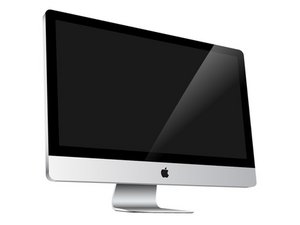
How to remove an SD card from CD Drive?
How do I remove an SD card that was mistakenly put in the CD drive of my Imac?
Is this a good question?
Score
31

Rep: 265
 2
2
 2
2
 1
1
How do I remove an SD card that was mistakenly put in the CD drive of my Imac?
Is this a good question?

Rep: 685.3k
3.4k
1.1k
2.6k
Easy. Use gravity and inertia. Hold the machine tightly with the disk opening pointing down and shake it out using short abrupt downward thrusts.
Was this answer helpful?
Its worth a try +
Nice mental image, those things aren't exactly light :)
No problem for a NFL lineman ;-)
the mac shouldn´t be running....just for the hard drives sake.
i actually lol'd crisb- i'm sure there's a .01% of the population for which we unfortunately need to dole out that warning

Rep: 49
1
1
1
Wow - I have a 21" imac and did this based on everyone's advice and it worked! Thanks for the scoop. I could have easily wasted three hours taking this to apple store or calling apple care.
My method from the other responses was to take a manila folder and cut it into an "L" shape about 4" high and 3" wide. I then turned the computer off. I then turned the iMac on it's side so the dvd was facing down. I left the iMac stand on the desk and then rested the side of the iMac on my legs, but there could be other ways to turn it sideways that leaves the slot accessible. I then fished the L shaped manila folder piece into the slot (with the leg of the "L" facing the bottom of the iMac). I did gently shake the imac on my leg a little bit, and also made sure that the iMac screen was perpendicular to the floor - not leaning one way or the other. I then pulled the L down slowly and not too hard. Sure enough, on the 3rd try or so, the sd card pushed it's way through the spongy material at the dvd opening. Couldn't believe it! Thanks everyone.
Was this answer helpful?
great technique - used with a Dell Studio laptop and worked fine. I cut the manila folder 'L' at the spine so there was a double thickness and the hooking action made a sort of Vee shape with the open end of the Vee dragging downwards towards the exit slot. with a bit of jiggling and hooking out poppoed the SD card !
Thanks for a really great tip, it worked with my L shaped manilla folder cut out, took about 3 minutes.
It worked! And I totally cheated. I didn't turn my iMac on its side; I just left it sitting normal. I also didn't turn it off. I took my L-shaped piece of FedEx envelope (about half-inch wide on the L) and on about the forth try at fishing around in there, it slid out. Thanks.
This idea is amazing. I didn't think it would work but got the sd card out on the first try!
thank you so much!!!!!

Rep: 49
3
My husband did the same thing. I called Apple Care and they said don't mess with it, bring it to the Apple Store. The Apple tech took a 6" long piece of 2" wide cellophane packing tape and folded one end of it over to make a non sticky handle. Then they inserted it into the drive and the SD card stuck to it and came right out!!
Was this answer helpful?
Thank you so much!! I have a 27 inch imac, and I tried the gently shaking thing, but didn't get anywhere. I then tried the packing tape thing, and it took a few tries, but I got it!! I had to tape it flat to a thick sheet of paper first, as my packing tape is flimsy. Then fish it in, but it worked in the end!! Yay!!
Best. Advice. Ever.
I did exactly the same and it worked a treat! It took a few goes but eventually out came the SD card stuck to the tape.
I'll be a lot more careful in future
Thank you! I tried the tape trick. I taped the tape onto manilla paper. (I cut up a manilla envelope.) I left some of the sticky part exposed. I put it in and the SD card came out the first or second time! Now I'm going to put masking tape over my DVD slot. I don't use that much but I do use the SD slot a lot. If I want to use the DVD player, I'll just take the tape off.
I inverted the laptop to protect the optical reader. using a piece of photo paper the width of a CD, I stuck a piece of double sided tape on one end and inserted it into the drive. turned the unit over(right side up) and the sd card stuck to the tape.

SD cards in two of my iMacs!!! I used two of the methods explained here and one of my own. First, I turned off the computers and firmly shook the iMac, with the cd drive facing the ground. For one computer I folded a piece of paper in half and taped one end, slid it into the cd drive and down and then briskly tugged on the paper and the sd card came flying out. On the second computer the paper would not work, so I took a thin, plastic ruler, angled it in from the top to the back-bottom corner and flicked the SD card out (not sure I recommend this method, but it worked). Good Luck!
Was this answer helpful?
now the tape is stuck but the sd card is out

Without even moving my iMac, it stayed on the desk. Slight variation on the envelope trick, using a jigsaw I cut an old DVD into a large hook/claw and retrieved the card on the FIRST TRY. See the tool at: https://www.dropbox.com/s/n8cgfftq92ny86...
Ugly, but it worked flawlessly.
Was this answer helpful?
Past 24 Hours: 0
Past 7 Days: 10
Past 30 Days: 42
All Time: 71,051


34 Comments
Thank goodness for this post! I was really stressed out over this because it's my work computer and if I broke the drive, I'd be so upset! The tape trick didn't work for me (the tape would get stuck near the entrance of the drive and not slide in easily). I turned the machine sideway while holding it up a little in the front, then used a ruler to gently flick down and out. I wasn't sure it was working but then I saw the very tip of the sim card so I did it again and I was able to grab the edge of the card and pull it out! Whew! :)
by pyt17587
Thank you thank you. It worked a treat and I have now discarded the sim.
by glendagartrell
Thanks so much. I cut off the bottom of a small envelope and used it as a "hook" to grab the SD card. It took 4 or 5 tries but grabbed the card in the end. I figured there must be other absent-minded people who had done the same silly trick of putting the card in the wrong slot. Thanks again.
by LK Marshall
get a piece of constructed paper and cut a little piece like a hook and just try it and see how far deep the SD card is and it does not take long to pull it out just dont go crazy like i did and break the whole computer
by Erica Ramirez
thank you for the paper hook tip!!!!!!!!
by Caroline Ito
Show 29 more comments