
4
Score
Tinker
43
Asked
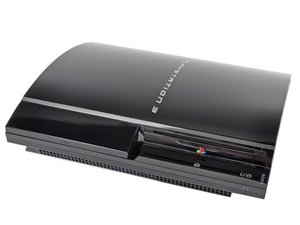
Is there a fix for a PS3 that freezes shortly after power up?
I have a couple Sony PS3's that will power on for a few minutes, start to play a movie, and then just freeze or locks up. Will usually not power up until it cools off. Seems like a cooling issue, but have not worked on one of these before. I have heard that Sony had problems with the PS3's. Is there a fix for what appears to be a over heating problem. Fan is working and warm to hot air is blowing out. Thanks
Edited by: Matt Newsom ( ) , Sterling Hirsh ( ) , Nat Welch ( )
6
Score
Sterling Hirsh
2.3k
Answered
If the thermal paste has come off between your cpu/gpu and heatsink, this will cause a problem. Also, if your fan is too dusty and can't spin, this could cause that problem. These are the first two things I would check. Note that I am currently in the process of making a full set of repair guides for the PS3.
3
Score
rj713
39.1k
Answered
I'm listing the iFixit teardown url for you. I t shoulld help you check out your PS3's cooling and guide you if it needs repair. Ralph
2
Score
balaazs
25
Answered
just to make sure that it's a placing/heating problem: put it next to the room's window (or a bigger fan - and turn it on) if possible, and try to do what makes it usually freeze. if the extra cooling helps, you can be positive :)
what you can also do is use a hair dryer to get rid of the dust inside the ventillation system preventing the fans from blowing out enough hot air.
2
Score
Sam
37
Answered
I had a problem with my PS3 40Gb overheating and going into turbo recently. Found it was pretty clogged up and that having it on its side rather than laying it flat helped significantly.
I also had a problem where I killed the power using the hard switch before I had turned the console off to standby (I know, don't ask) which caused it to freeze just like you describe. I found it was the HDD and it required a format of the drive (which lost me my saves, so back them up if you can) but fixed it straight away. The only thing I can think of is something got corrupted on the working space of the drive. Worth a shot if it's not just overheating.
2
Score
Rider
25
Answered
I had the same problem and found this fix. Power on at the console but hold the button until you hear a second beep. "HDMI device has been detected" screen comes up. Continue through the prompts. I don't know why this works for me but resetting the output solves the freezing.
1
Score
Skippy722
2.1k
Answered
If it's heating up I would try moving it so there is as much open air around it as possible.
Some people like to "hide" their game systems so they usually get put in a cramped shelf which doesn't allow for ample cooling because the air in there can't escape so it heats up
Edited by: Ben Sweedler ( )
1
Score
Chris Green
17.2k
Answered
1
Score
mr5989
151
Answered
Also if you have a intercool is it the problem? My nephew's PS3 had one, and it got clod and burn his PS3 out. Some of the video website have detail video on PS3 repair.
By the way
I have the following Site book marked it is a great help for PS3 owners
I was able find the parts I needed to repair my PS3 with this site,
I hope its a help to all of you also.
1
Score
Tim Gelvin
1.5k
Answered
Freezing up just after playing a game is a precursor to the YLOD/RLOD and the cause is over heating. Too much dust blocking the air flow or the fan locking up, or the CPU/GPU not getting a good enough connection with the heat sink, or the solder joints have cracked and need to be reflowed. Your fix is with this link --> Yellow Light of Death Repair
Tim Gelvin knows what he's talking about. I've attempted to repair many xboxes with the Red Ring. It could be over-heating, or something simple - but odds are, if it's an old PS3, there's either something wrong with the solder joints under the CPU/GPU, or something wrong on the BGA packages themselves. Unless you know someone who can >PROPERLY< re-ball a CPU/GPU (i've done it improperly several times :P ), any DIY attempt will be temporary at best.


