3
Score
QEII Student IT
3.7k
Asked
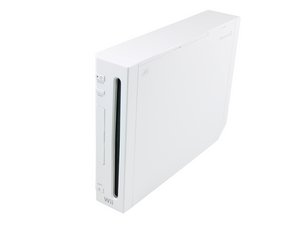
How do I screenshot a Wii?
Often I see pictures/videos of the screens of the Wii. I have heard of hypercam but have no idea how to use it or what it is.
How do I screenshot/reco
What is hypercam?
Edited by: QEII Student IT ( )
4
Score
bac
5.3k
Answered
Accepted Answer
you could use an analog to digital video converter box. One of these would let you convert the composite video output of the Wii to digital video over Firewire to your Mac and import into iMovie. I have an old Canopus AVDC (model 100? or 110, I forget) converter box which I use to import Hi-8 analog video to digital, perhaps something like that would work for your purpose?
There are pci TV Tuner cards for computers that give you TV inputs. For probably less than $50, you can get a composite video input (and the audio inputs) and use the (hopefully) included video software to record your game. You will have to either play the game through your computer or put a splitter between wii and your computer/tv. The video software will also let you take a screenshot. Google: TV Tuner
2
Score
Chris Green
17.2k
Answered
you might want to try something called a "capture card" you plug the A/V cables into it, and it records the data going through them to an SD card, or onboard memory, you can also plug them into a t.v., so you can see what you are recording.
2
Score
ARM
119
Answered
Someone wrote a nice article on how to do it here:
http://www.bukisa.com/articles/92229_how...
They even use a Mac, so the instructions will work for you. However, one thing to note is that the Wii doesn't have HDMI, but it does have composite (and component video). I definitely also recommend the Elgato eyeTV products. They also state how well their products will work with consoles in their support pages:
EyeTV 250 Plus: http://support.elgato.com/index.php?lang...
EyeTV Hybrid USA 09: http://support.elgato.com/index.php?lang...
Comparison between the two: http://support.elgato.com/index.php?lang...
1
Score
Skippy722
2.1k
Answered
hypercam (atleast what I've seen of it) is for pc's, it just records whatever is happening on screen. what I would suggest is using a nice(er) camera and tripod to take a screen shot, or you can just hold the camera to get the pic