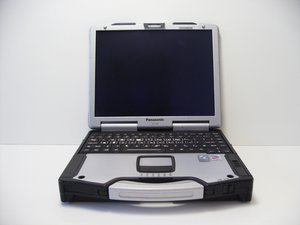
How do I remove bios password
I need to remove bios password
Is this a good question?
Score
11

Rep: 133
 2
2
 2
2
 1
1
I need to remove bios password
Is this a good question?

Rep: 253
6
1
2

1) Locate and remove the RTC battery
2) locate and remove the main battery and unplug power supply.
3) depress the power button for 30-60 seconds.
you do not have to solder anything to the board if there are posts ic 61,63 on MAIN PCB then just put a jumper across them while you power up. if its just 2 SMD pads just use a needle probe to arc the connection.
Was this answer helpful?

Rep: 347
6
1
remove cmos battery for about 10 seconds.
Was this answer helpful?
for a better result remove the battery for about 5 minutes, because sometimes it needs more time :)
don't forget to hold the power button down for 60 seconds and remove the main battery as well.
Remove the BIOS battery for more than two hours and the problem still exists..
Removed the cmos battery, removed the main battery, left it for about 18 hours. No results. I pulled the batteries and shorted the pins while holding the power switch for 60 seconds. Still didn't help at all. Then I tried every combination of shorting, unplugging, and turning on that I could think of. Still have the problem....
does the the problem above has been resolved??

Rep: 25
1
I find this article about how to reset or remove BIOS password, perhaps it will help you solve your problem:
Was this answer helpful?

Rep: 1
2
1
I tried the "remove all power" tricks mentioned above (also mentioned in many places on the Internet), and they did not work for my CF-29 Mk3 (Model CF-29HTM50BM). What did work for me was upgrading the Embedded Controller and BIOS firmware from a pair of diskettes as mentioned in this thread from Victor at AllService (https://www.allservice.ro/forum/viewtopi...). Download the files CF29-EC.rar and CF29-BIOS.rar from the links in the thread, create the pair of bootable diskettes, upgrade the EC firmware first, then the BIOS firmware -- at this point my BIOS password was removed. I went into the BIOS settings and disabled the password at boot.
Now, will this same procedure work for you? Maybe -- my EC and BIOS were downlevel, so the bootable diskettes did have to perform an upgrade, maybe that's required.
Was this answer helpful?
Past 24 Hours: 3
Past 7 Days: 45
Past 30 Days: 181
All Time: 51,963
