
0

Score

Avatar
3macs
33

Asked

iMac turns on and off immediately. Any ideas?

History

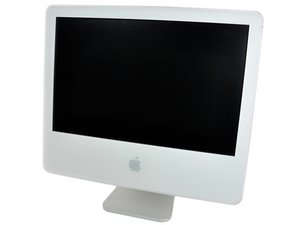
For some reasons, my iMac G5 20" Model A1076 turns on only for about 30 seconds after the Apple logo appears, then shuts down automatically, wondering what's the problem.

Edited by

I hold down the T key, the machines runs for a while, then shows the firewire icon and nothing happen for the next 3-5 mins.

3macs,

The you can connect it to another computer via firewire and see if there is anything on the hard-drive

AussieMac,

Thank you for everyone who have contributed the knowledge and solution to fix my mac! I am not sure if that's because of the power supply, because I can use the startup disk for as long as i want without any interruption. I tried to use the startup disk which came together with my mac and try to reinstall the whole OS X, it goes smooth at every stage until where it asked me to choose for the volume destination and maybe there's something stuck, i cannot choose for my hard disk, so i believe there's a problem in my HD. thank you.

3macs,

Found out the problem, it may be because my internal HD is dead and I install the only OS X (10.3.9 the only one i got) into an external firewire HD and now it works fine for the last 12HRS. Probably because the HD is dead, that's why cannot continue the startup or boot up the machine.

3macs,

Post Answer

2

Score

Avatar
David Iwanicki
2.8k

Answered

PermalinkHistory

The symptoms you report are very common, usually due to a failed power supply module. Inspect the logic board of the unit for any obvious signs of swollen or leaking capacitors to rule out the logic board as the cause of the issue.

a good picture of bad caps: http://www.flickr.com/photos/manuelmarte...

Also, follow this procedure to help isolate the power supply as the cause of your issues:

http://support.apple.com/kb/HT2173

Good Luck!

0

Score

Avatar
AussieMac
351

Answered

PermalinkHistory

Try the AHT (Apple hardware test) startup with the Install disk in the computer and hold down D. If you are running 10.5 or above you should use the install disk 2 - The applications disk. IF that doesn't help, you may want to backup your files by running it in Target Disk mode (hold down T at startup) and do a fresh reinstall of OSX

Edited by

0

Score

Avatar
3macs
33

Answered

PermalinkHistory

The problem is solved, what i did was to boot with single mode (command+s) and follow the instructions below from NUMBER 6 Reset certain privileges in Your Mac won't start up in Mac OS X (Mac OS X 10.3.9 or earlier) at

http://support.apple.com/kb/TS1411?viewl...

1. Start up the computer in Single-User Mode.

2. Check the volume with fsck.

3. Type: mount -uw /

4. Press Return.

5. Type: chmod 1775 /

6. Press Return.

7. Type: reboot

8. Press Return.

0

Score

Avatar
colleenthompson
1k

Answered

PermalinkHistory

I'm confused; I don't know if your solution was the "Reset certain priveleges" or the note at the top of the thread, "Found out the problem, it may be because my internal HD is dead and I install the only OS X (10.3.9 the only one i got) into an external firewire HD and now it works fine for the last 12HRS. Probably because the HD is dead, that's why cannot continue the startup or boot up the machine."

The latter comment doesn't necessarily mean your hard drive was dead; it could be that the system was bad somehow, and booting to a fresh system on the external drive worked for that reason.

So, since the priveleges repair was the most recent post, does that mean that your internal drive is once again happily booting the machine?

Just checking because the spontaneous shutdowns is kind of an unusual symptom, and I'd like to know what caused it, in case I run across it again (when it happened to one of my clients it was a hardware problem.)

Add Your Answer