
0

Score

Avatar
Paul Kemp
1

Asked

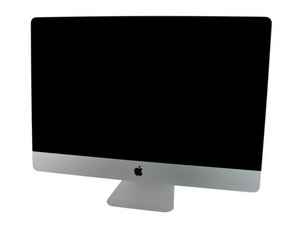
Parts needed to add a 2nd hard drive to iMac 2011 27"

History

HI all,

I've been looking around here on iFixit, on OWC and on seperate forums, but i still cant find a clear answer to my question.

What i want to do:

I have a 2011 iMac that shipped with only a SSD. So, since Im running low on space, i want to add a 2nd hard drive. I want this to be a 3 GB 3.5mm disk. Not an SSD.

My questions:

1. Do I need a bracket to install a 3.5mm hard drive?

2. Where inside the iMac will this bracket be installed?

3. What will happen with the hard drive fan control that Apple has incorporated? Does this apply when you add a 2nd drive?

I've seen that there are some posts regarding this, but I have not managed to find a answer. But most of the posts are for replacing the original hard drive with a new one. Or the posts are about 2010 or 2009 iMacs. And I want to be 100% sure before i purchase the tools needed.

Post Answer

1

Score

Avatar
Dan
6.2k

Answered

PermalinkHistory

Theres a couple of different options here:

Move the SSD to the second SATA port and then affix the SSD to the CD/DVD frame (because the SSD is lighter in weight). Then mount your new 3gig HD into the HD frame. You'll need the SSD cable set iFixIt offers to do this.

Remove your optical drive to house your new 3gig HD using the HD carrier iFixIt offers. Then get an external USB/FireWire case to house the optical drive.

OK, but does this mean that the current 2.5mm SSD bracket is universal so that it fits the 3.5mm HDD as well? And what about the Apple proprietary temp reader that comes with the built in harddrive? Is that an issue when adding a 2nd hard drive?

Paul Kemp,

1

Score

Avatar
tkasner
13

Answered

PermalinkHistory

I also have a mid 2011 that shipped with ONLY SSD, no spinning drive. The SSD is plugged in to the SATA2 port (not SATA0 where the spinning HD would normally be), and is mounted on a bracket behind the DVD drive, NOT in the center of the system where the spinning drive would go.

SATA0 has a different power connector than the SATA1 and SATA2 ports. The cable included in this kit is for the SATA2 port, NOT for the SATA0 port. SATA0 on mine has a normal SATA data connection, and the power is a 2x5 ribbon cable pin block (like an USB header, but slightly different), it currently has a jumper across two of the pins (I am assuming to tell the HW that it does not need to monitor the HD temp.. but that is just a guess)

I was going to add a second 256GB SSD, but because of the different power on the third SATA port, I had to unplug my DVD to plug in the SSD. I'm going to try using a SATA power splitter to get power to the third device, but that will require cutting the provided cable as the "apple" side of the cable is different than anything I have lying around, and the "device" side of the cable is joined together.

I went through the guide a few times before cracking my imac open, I was surprised with what I found, I didn't have any reason to expect that the config of my imac would make the kit not work, but that is in fact what happened, and I strongly suspect that is what the other people above are talking about.

0

Score

Avatar
Dan
6.2k

Answered

PermalinkHistory

I'm confused here?? your system came with a SSD only (no spinning mechanical HD) correct?

Then the current frame Apple has in your system can support a 3.5 inch disk {not mm} (they only made one HD frame for either HD or SSD). They did make a special frame to hold a second drive (only SSD 2.5 inch) when you ordered the system with the double drive setup (HD with SSD). As I stated before the best solution is to move the SSD under the optical drive frame and use the current frame to hold the HD.

Heres the iFixIT kit you'll need to mount the SSD SSD mounting kit

Yes, you may still have a temp monitoring issue. Depending on the drive you buy.

Product Image

iMac Intel 27" Mid 2011 Dual Hard Drive Kit

Install an additional 2.5" SATA hard drive in your Mid 2011 27" iMac. — Currently out of stock.

OK, thanks for your replies. However, Im still confused. My iMac came with a SSD 2.5", and you still say that it can support a 3.5"? I will have to trust you on this one. WIll report back eventually :)

Paul Kemp,

Paul - Review the iFixIt guide drive replacement for clarity.

Dan,

0

Score

Avatar
Dan
6.2k

Answered

PermalinkHistory

Check out the iFixit Guide HD Replacement Note the current HD is a 5.25 inch and is hung by one side. For a 3.5 drive you'll need to get a subframe to hold it to the 5.25 mounting clip. Your current 2.5 SSD drive likewise has a subframe to hold it to the 5.25 mounting clip.

You could also go with a full 5.25 inch drive as well.

0

Score

Avatar
J Parker
1

Answered

PermalinkHistory

did anyone ever find a solution here? in the same boat.

Asked & Answered see first set of entries. Nothing special here.

Dan,

Add Your Answer

