Student-Contributed Wiki
An awesome team of students from our education program made this wiki.
Device Won’t Power On
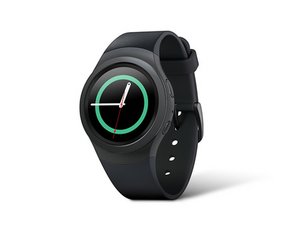
The smartwatch does not show any signs of powering up.
Faulty Charger
Ensure the charger is plugged in and the charge light is on. If the light is not on with the charger plugged in and the watch on the charger, then the charger is broken. Consider buying a replacement charger.
Faulty Battery
If the smartwatch only powers on when connected to the charger regardless of charge time, then the battery is faulty. Replace the battery using this guide.
Broken Motherboard
If the watch does not turn on when charging or after being left on the charger, the motherboard may need to be replaced using this guide.
Device has a Short Battery Life
The smartwatch’s battery lasts less than a day with minimum use after fully charging.
Faulty Battery
The battery may be faulty, consider replacing it using this guide.
Unresponsive
The watch is unresponsive when powered on, or random characters appear on the screen when turned on.
Faulty Motherboard
If the watch is completely unresponsive, fixing the motherboard may resolve the issue. Replace the motherboard using this guide.
Display Does Not Switch Screens with Wrist Movement
Watch does not switch between applications with bezel rotation.
Faulty Bezel
The bezel may be dirty or faulty. Remove and replace the bezel using this guide.
Watch Won’t Secure to Wrist
The strap on the wristband appears to be broken, or the latch does not function properly.
Buckle is Broken
If the buckle is missing the tongue, then replace it using this guide.
Strap is Broken
If the strap is broken or loose, then replace it using this guide.
Applications Do Not Work
Applications like the heart rate monitor and pedometer do not work at all or properly.
Back Cover is Damaged
If the back cover on the watch is cracked or broken, replacing it may allow some of the applications to work again. Replace the cover using this guide.
Damaged Motherboard
Some or all of the applications will not open when selected, replacing the motherboard using this guide may resolve the issue.

Team

USF Tampa, Team S2-G3, Sullivan Spring 2017 Member of USF Tampa, Team S2-G3, Sullivan Spring 2017
USFT-SULLIVAN-S17S2G3
3 Members
60 Guides authored

24 Comments
I have not worn my watch in a few days. Tried to today. It says fully charged but will not turn on. Before 3 x pulled up damaging rebooting and now nothing????
Amanda Vanarsdale - Reply Share
I plugged in the charger and the red yell and green lights show. But when I put the watch on the charger, it doesn't charge. Dissent even show the red light to show it would be charging. Is the charger faulty or is the watch faulty
Blaise Bynum - Reply Share
I am also facing same issue since last two days, did you find any solution of it?
Amit - Reply Share
Me 2. Do anyone of you find any solution? Is this problem with Gear or the charger?
Sohaib Ahsan - Reply Share
Is there a pdf file with a breakdown of all the parts?
Inside and out?
gerry vecino - Reply Share