Free Shipping on Domestic Orders $75+

What you need

This teardown is not a repair guide. To repair your Nespresso CitiZ, use our service manual.

    1. Nespresso CitiZ Teardown, Nespresso CitiZ Teardown: step 1, image 1 of 1
      Tool used on this step:
      iFixit Precision 4 mm Screwdriver Bit
      $2.99
      Buy
      • The CitiZ is a compact coffee-making gizmo. Opening it requires a proprietary tool that Nespresso doesn't sell. But iFixit has the answer: just use our oval head bit! They want to keep us out of our own machines!

      • You can even create your own specialty tool.

      • You can get into it with a pair of needle-nose pliers. The pliers I used aren't ideal — you want something that can get into the recessed slots.

      Ask FixBot

      Add Comment

    2. Nespresso CitiZ Teardown: step 2, image 1 of 1
      Ask FixBot

      Add Comment

    3. Nespresso CitiZ Teardown: step 3, image 1 of 3 Nespresso CitiZ Teardown: step 3, image 2 of 3 Nespresso CitiZ Teardown: step 3, image 3 of 3
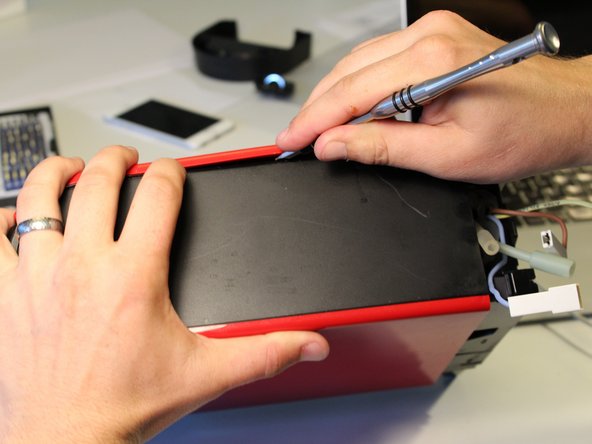
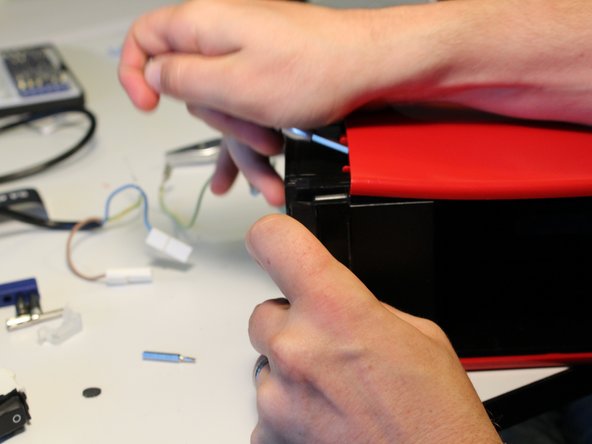
      • Now that the screws are removed, use a screwdriver or a spudger to pry the tabs holding the bottom case on.

      • The easiest place to get in is the power plug. Be careful not to nick it. (And make sure you're unplugged from the wall!)

      Ask FixBot

      Add Comment

    4. Nespresso CitiZ Teardown: step 4, image 1 of 1
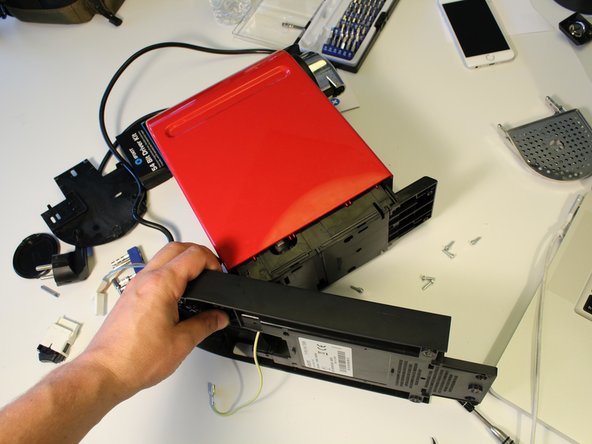
      • Carefully open the lower case and set the machine on its side.

      Ask FixBot

      Add Comment

    5. Nespresso CitiZ Teardown: step 5, image 1 of 1
      • The plastic strain relief bracket on the power cable is challenging to remove. Insert a small flathead screwdriver into the small slot on one side to disengage the tab.

      Ask FixBot

      Add Comment

    6. Nespresso CitiZ Teardown: step 6, image 1 of 1
      • Nespresso makes heavy use of spade connectors inside this machine.

      • Grab one side firmly with your pliers and pull on the other side of the connector with your fingers. Do not pull on the cable, because you can pull it free from the spade connector.

      Ask FixBot

      Add Comment

    7. Nespresso CitiZ Teardown: step 7, image 1 of 1
      • Disconnect the blue neutral wire.

      • Remove the power switch from the case.

      Ask FixBot

      Add Comment

    8. Nespresso CitiZ Teardown: step 8, image 1 of 1
      • Firmly grasp the power cable connectors and remove them from the power switch.

      Ask FixBot

      Add Comment

    9. Nespresso CitiZ Teardown: step 9, image 1 of 1
      • Insert the tip of a spudger into the silicon tube and slide it off the nipple.

      Ask FixBot

      Add Comment

    10. Nespresso CitiZ Teardown: step 10, image 1 of 2 Nespresso CitiZ Teardown: step 10, image 2 of 2
      • Thread the remaining tubes and wires through the bottom case to free it from the main unit.

      • Remove the bottom case.

      Ask FixBot

      Add Comment

    11. Nespresso CitiZ Teardown: step 11, image 1 of 3 Nespresso CitiZ Teardown: step 11, image 2 of 3 Nespresso CitiZ Teardown: step 11, image 3 of 3
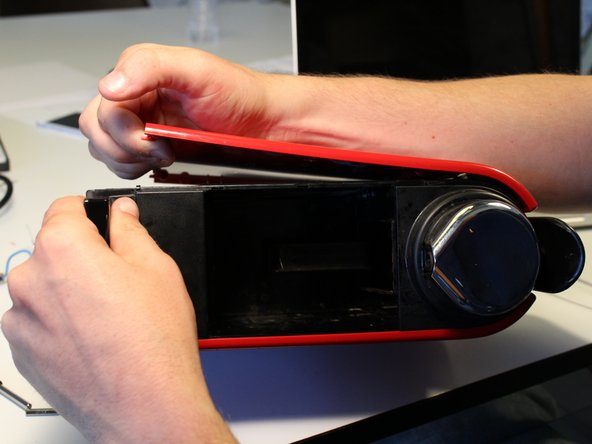
      • Removing the outer shell requires some force.

      • There are a series of tabs on all four sides of the shell.

      • Start by using a flathead screwdriver or spudger to pop the first tab.

      • Work your way around the case, freeing tabs as you go.

      Ask FixBot

      Add Comment

    12. Nespresso CitiZ Teardown: step 12, image 1 of 3 Nespresso CitiZ Teardown: step 12, image 2 of 3 Nespresso CitiZ Teardown: step 12, image 3 of 3
      • Keep prying!

      Ask FixBot

      Add Comment

    13. Nespresso CitiZ Teardown: step 13, image 1 of 1
      • Remove the outer shell.

      Ask FixBot

      Add Comment

    14. Nespresso CitiZ Teardown: step 14, image 1 of 1
      • Extricate the control button wires from the case assembly.

      Ask FixBot

      Add Comment

    15. Nespresso CitiZ Teardown: step 15, image 1 of 2 Nespresso CitiZ Teardown: step 15, image 2 of 2
      • Remove the blue tube from the flow meter.

      • This part, which measures water flow, is referred to as a 'debimetre' in Nespresso's part lists. It is part # 932-9521.

      • Remove the sensor data cable.

      Ask FixBot

      Add Comment

    16. Nespresso CitiZ Teardown: step 16, image 1 of 1
      • The pump feed tube uses a clever retaining clip. Remove this clip with your pliers. It does not require much force.

      • Repeat this for the clip attaching the valve to the water heater.

      Ask FixBot

      Add Comment

    17. Nespresso CitiZ Teardown: step 17, image 1 of 1
      • Remove the valve assembly from the frame.

      Ask FixBot

      Add Comment

    18. Nespresso CitiZ Teardown: step 18, image 1 of 1
      • Disconnect the power cable from the spade connector on the side of the water pump.

      Ask FixBot

      Add Comment

    19. Nespresso CitiZ Teardown: step 19, image 1 of 1
      • Remove the side panel from the other side of the unit. The tab positions are similar to the first side panel.

      Ask FixBot

      Add Comment

    20. Nespresso CitiZ Teardown: step 20, image 1 of 3 Nespresso CitiZ Teardown: step 20, image 2 of 3 Nespresso CitiZ Teardown: step 20, image 3 of 3
      • Disengage the tabs holding the top assembly to the case.

      Ask FixBot

      Add Comment

    21. Nespresso CitiZ Teardown: step 21, image 1 of 2 Nespresso CitiZ Teardown: step 21, image 2 of 2
      • Remove the front spout.

      • Remove the top case. Be careful, the button cables are captive to the case. Disentangle the cables and set the top next to the frame.

      • You will not be able to completely remove the top case until the circuit board is removed. (The button cables do not disconnect from the main circuit board.)

      Ask FixBot

      Add Comment

    22. Nespresso CitiZ Teardown: step 22, image 1 of 1
      • Remove the plastic outer circuit board cover.

      Ask FixBot

      Add Comment

    23. Nespresso CitiZ Teardown: step 23, image 1 of 2 Nespresso CitiZ Teardown: step 23, image 2 of 2
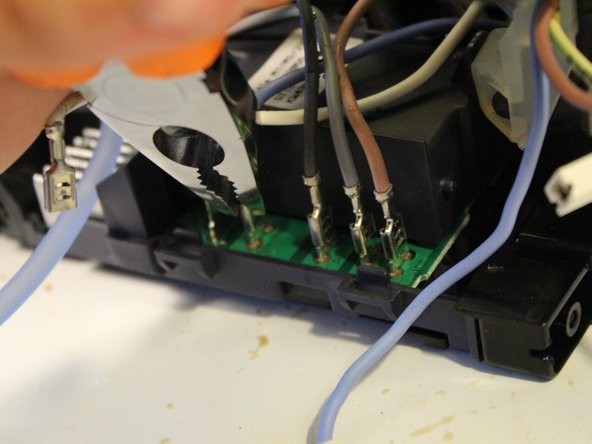
      • Power cables, from left to right: heat (white), neutral (blue), pump (dark grey), pump ground? (light grey), line (brown).

      • Disconnect each cable with your pliers.

      Ask FixBot

      Add Comment

    24. Nespresso CitiZ Teardown: step 24, image 1 of 2 Nespresso CitiZ Teardown: step 24, image 2 of 2
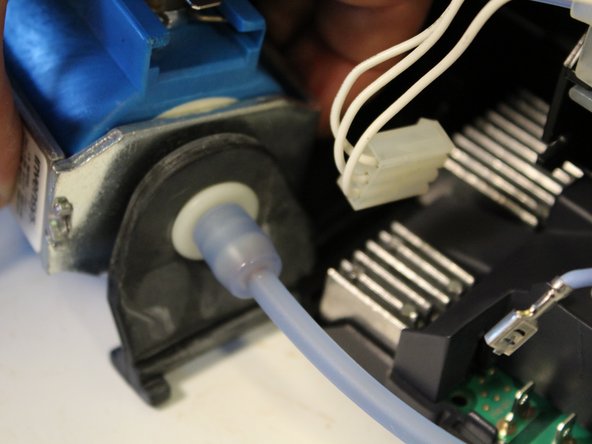
      • Slide the water pump out. The rubber vibration isolator doubles as a mounting bracket that neatly slides out from the plastic frame.

      Ask FixBot

      Add Comment

    25. Nespresso CitiZ Teardown: step 25, image 1 of 1
      • Remove the (rather over-engineered) silicon mounting bracket holding the coffee feed line in place.

      Ask FixBot

      Add Comment

    26. Nespresso CitiZ Teardown: step 26, image 1 of 1
      • Disconnect the latches and slide the heating assembly out of the frame.

      Ask FixBot

      Add Comment

    27. Nespresso CitiZ Teardown: step 27, image 1 of 2 Nespresso CitiZ Teardown: step 27, image 2 of 2
      • Free the latch on the right side of the circuit board and then carefully lever it out.

      • Don't use too much force on the plastic bracket on top of the circuit board because there are two vulnerable capacitors on the rear left side of the board.

      Ask FixBot

      Add Comment

    28. Nespresso CitiZ Teardown: step 28, image 1 of 1
      • The remaining cables can not be removed from the board. Don't try!

      Ask FixBot

      Add Comment

    29. Nespresso CitiZ Teardown: step 29, image 1 of 1
      • The BTB12 AC 12 Amp triac requires a large heat sink that is riveted onto the main board.

      Ask FixBot

      Add Comment

    30. Nespresso CitiZ Teardown: step 30, image 1 of 1
      • Voilá!

      Ask FixBot

      Add Comment

40 Guide Comments

A tool or a bit for those oval-head screws can often be bought at suppliers for coffee automates e.g. branded "Jura", "AEG", "Siemens", "Krups"

VauWeh - Reply Share

or you can make your own tool! See http://www.maultech.com/chrislott/blog/2...

hallarno - Reply Share

Where is the heating element then?

Junhao Eric Tan - Reply Share

Hi Junaho.

Did you have a look to Step 26 ?

Christophe S - Reply Share

I see, my bad.

Junhao Eric Tan - Reply Share

Add Comment

View Statistics:

Past 24 Hours: 21

Past 7 Days: 179

Past 30 Days: 709

All Time: 135,359