Introduction
This guide provides detailed instructions for replacing the display on the HP Elite x2 1012 G1. A damaged or malfunctioning display can affect visibility, touch responsiveness, and overall device performance. Replacing the screen will help restore full functionality and visual clarity. Before beginning, power off the device completely and disconnected from all cables and accessories. Follow each of these steps carefully to ensure a safe and successful replacement.
What you need
-
-
-
After removing the screws, delicately close the stand.
-
Flip the tablet on its back so that the screen is facing up.
-
-
-
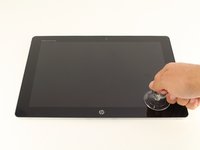
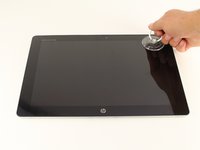
Use the suction cup to carefully separate the screen from the device. Pull upwards with a fluid and smooth motion.
-
-
-
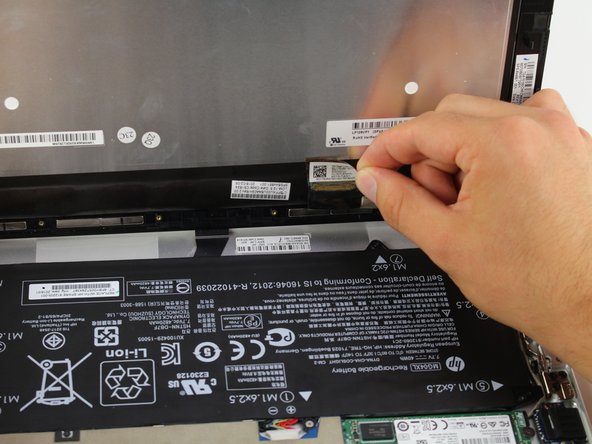
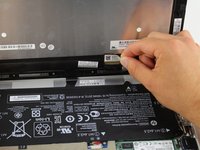
Remove the tape on the lower left side of the screen.
-
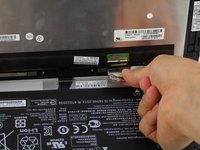
Underneath the tape, disconnect the LCM cable, the larger wire that was underneath the tape, from the back of the tablet screen.
-
-
-
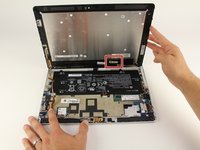
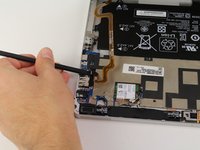
Disconnect the flex cable from the device using the spudger.
-
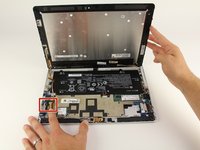
Remove the Display Assembly from the device.
-

 Ask FixBot






To reassemble your device, follow these instructions in reverse order. Take your e-waste to an R2 or e-Stewards certified recycler.
Cancel: I did not complete this guide.
4 other people completed this guide.

Team

Cal Poly, Team S24-G7, Maness Spring 2018 Member of Cal Poly, Team S24-G7, Maness Spring 2018
CPSU-MANESS-S18S24G7
4 Members
6 Guides authored
